Habitas — AI home design
Room
Designs in Seconds
with AI.
Upload a photo of your space and transform it completely. Redesign, furnish, reimagine any room — then hand your contractor a real plan.
No credit card required
Rooms redesigned
Variants generated
Users pick a variant
Avg rating (312 reviews)
Homeowners
See your renovation before you commit
Designers
Generate client presentations in minutes
Contractors
Get clear execution plans from day one
Realtors
Stage listings with AI in seconds
Every room has potential
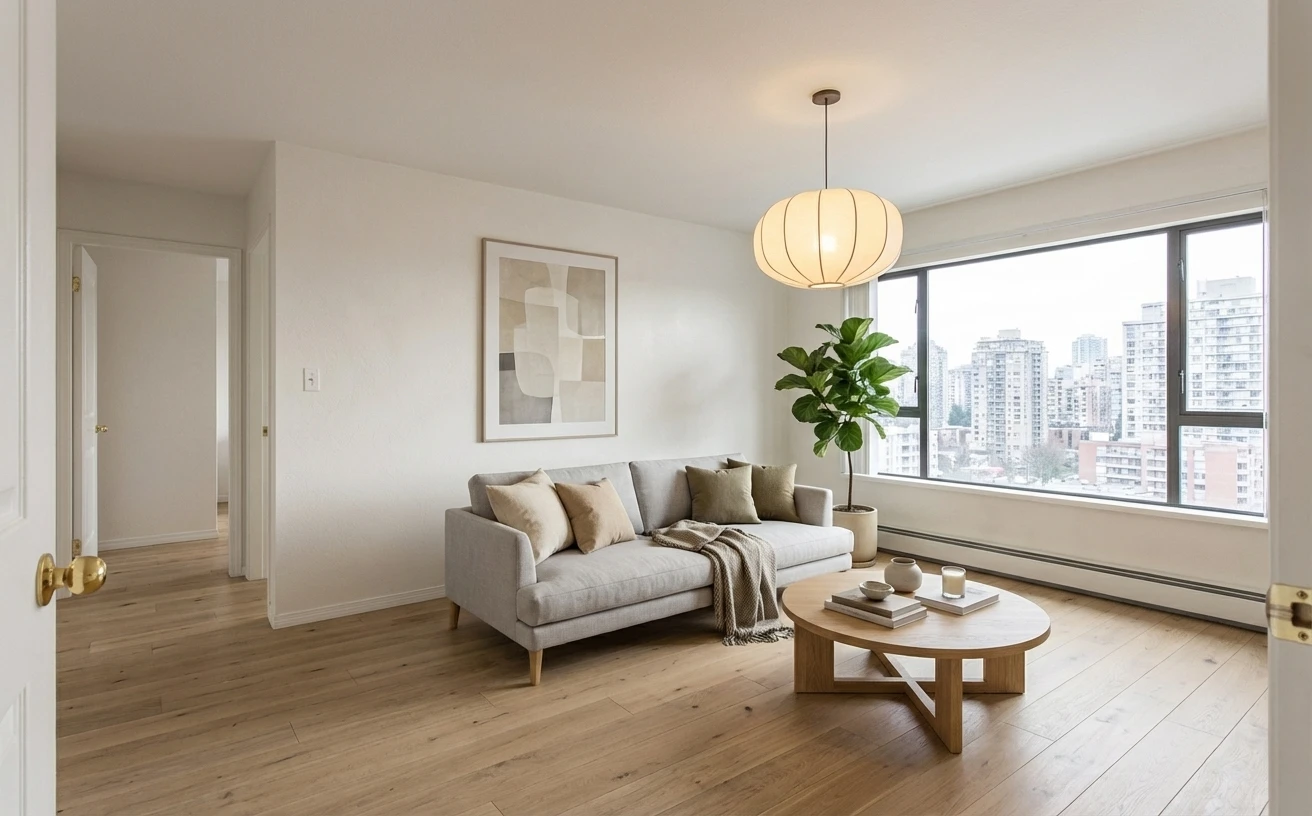
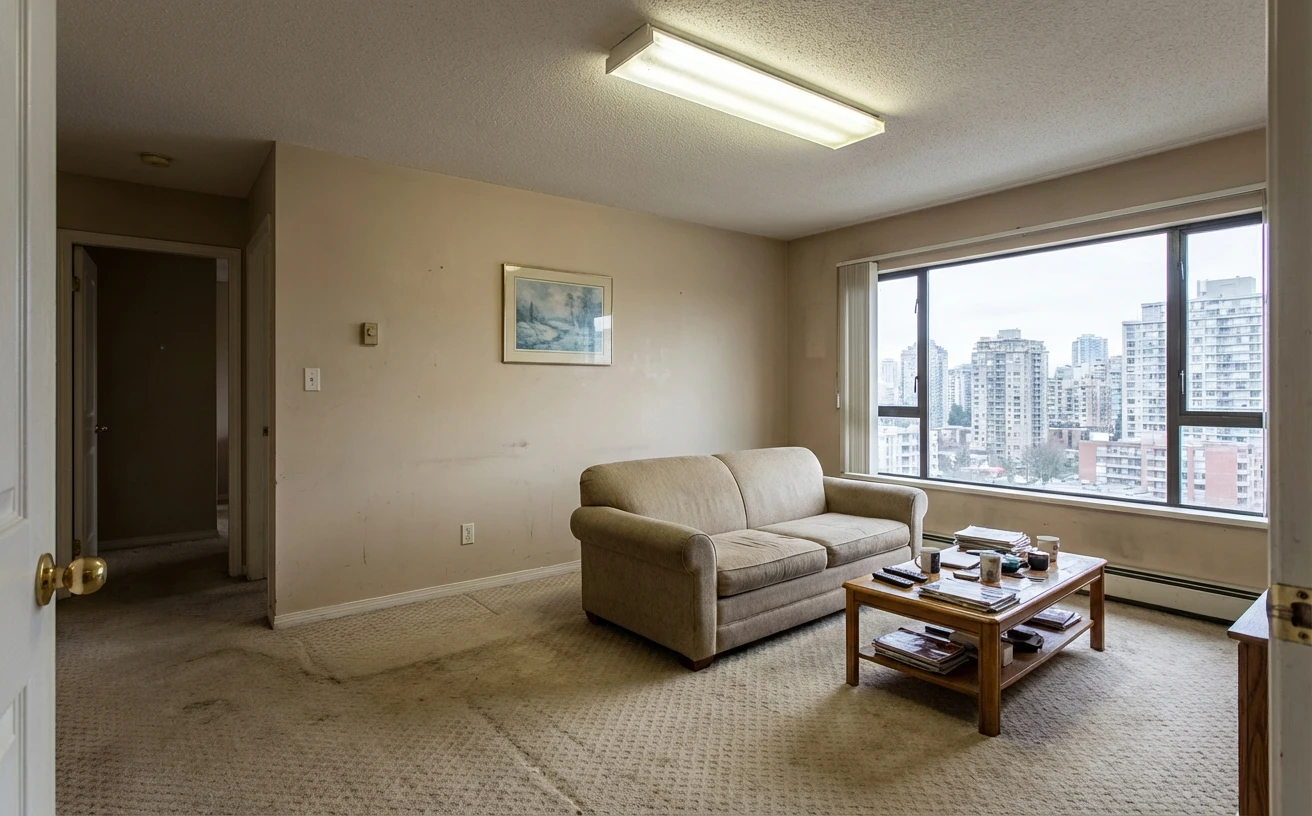
One transformation per room. Hover to reveal the original.One transformation per room. Tap to compare.
Scandinavian
Living Room
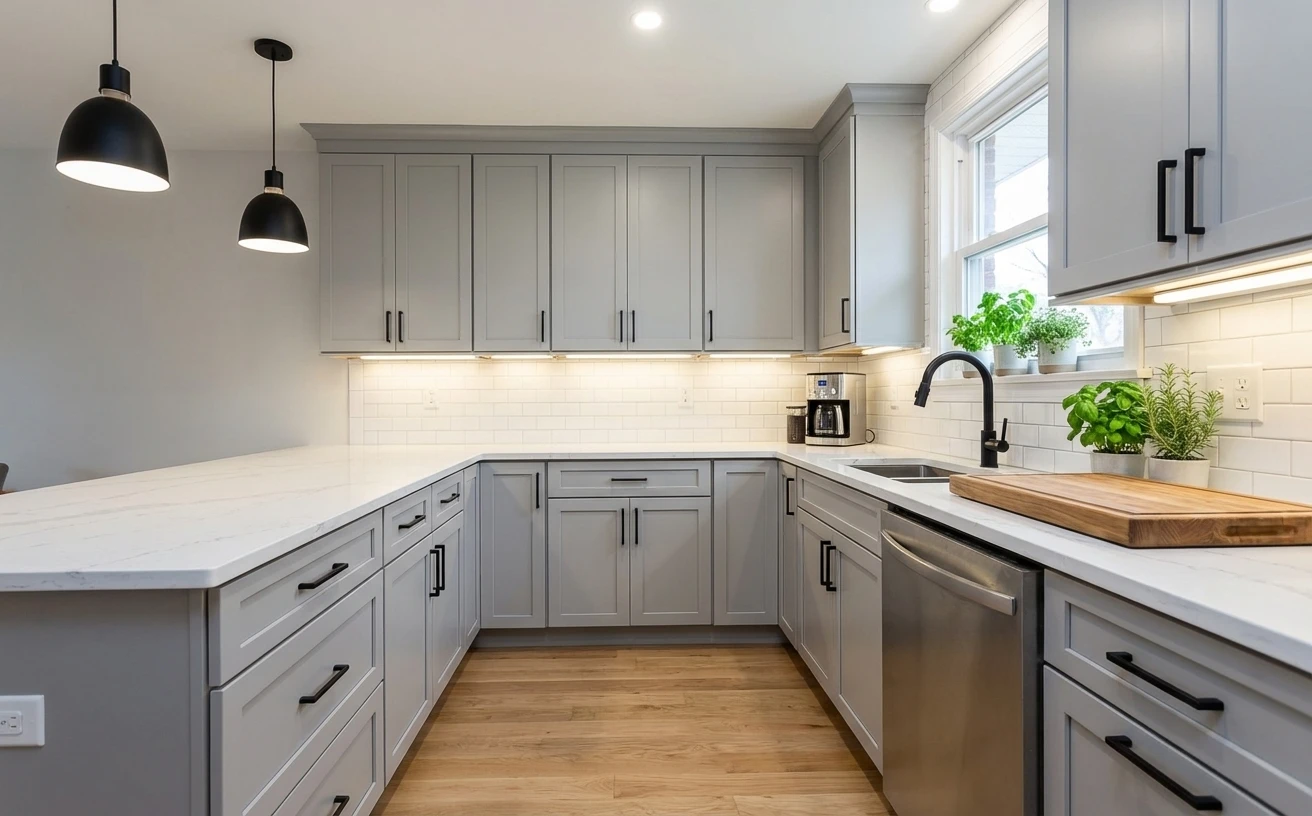
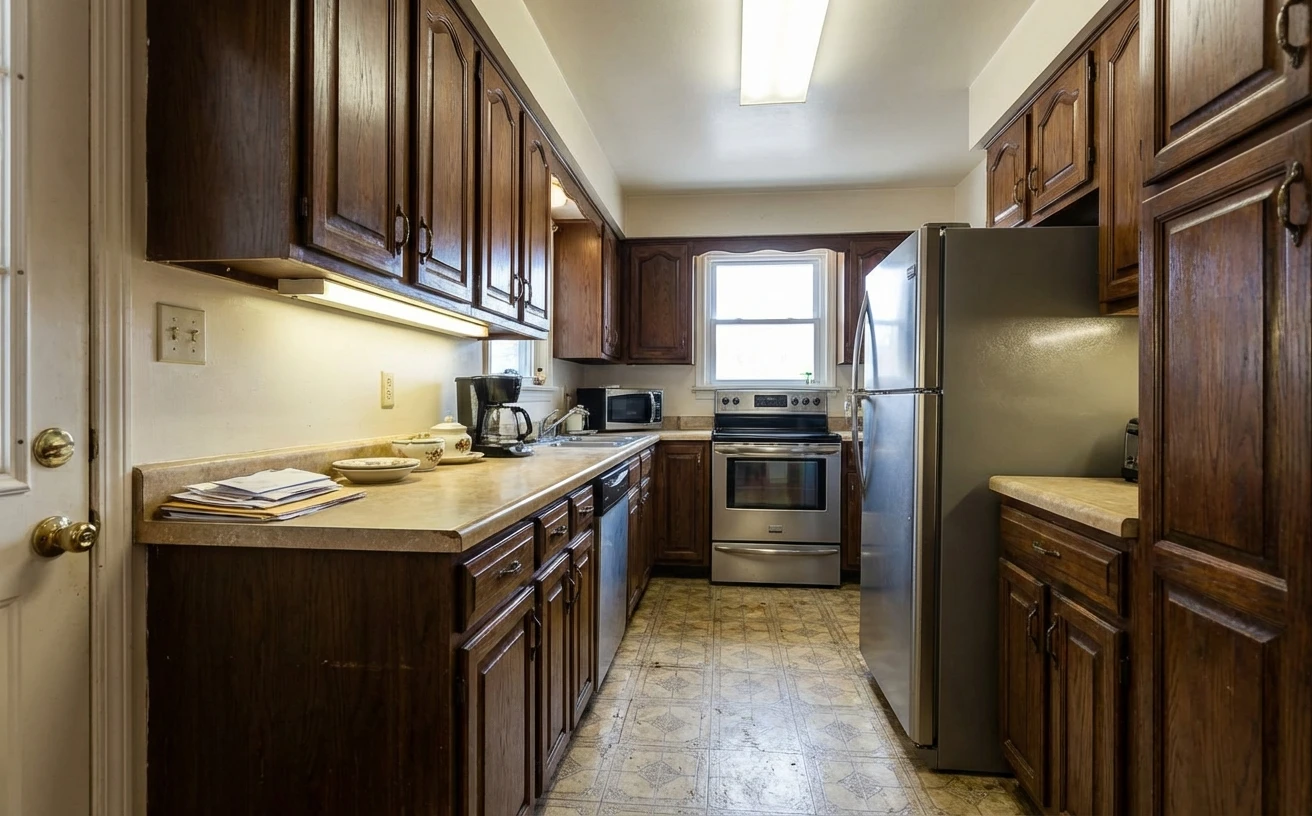
Modern Minimal
Kitchen
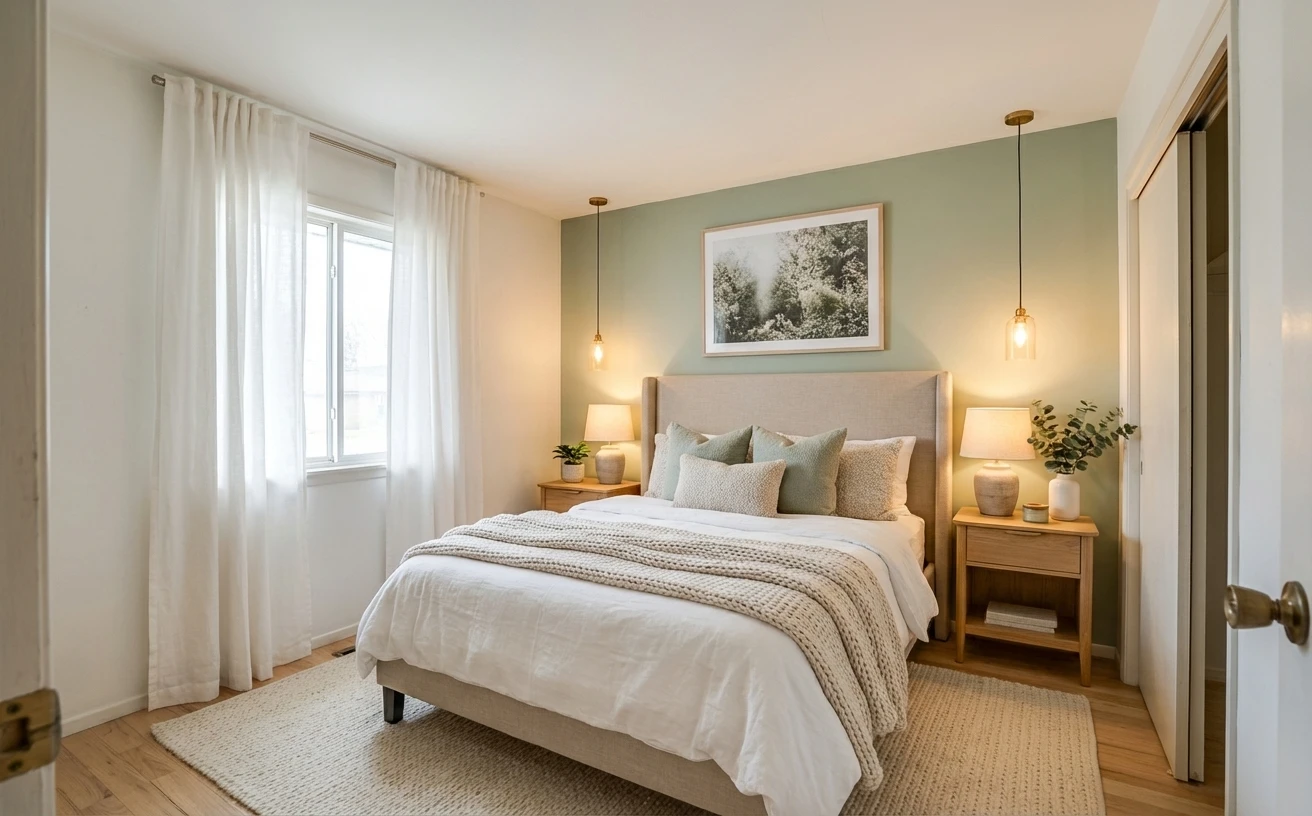
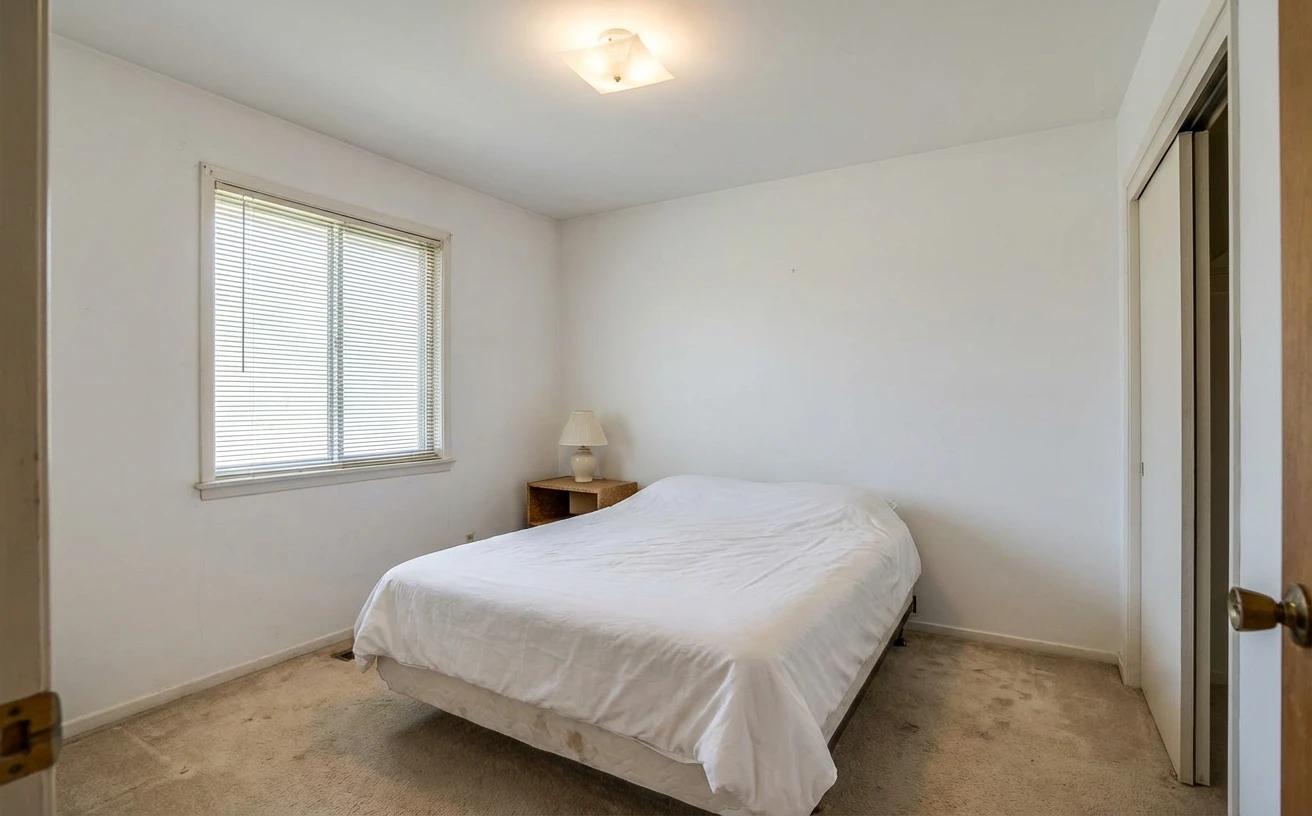
Scandinavian
Bedroom
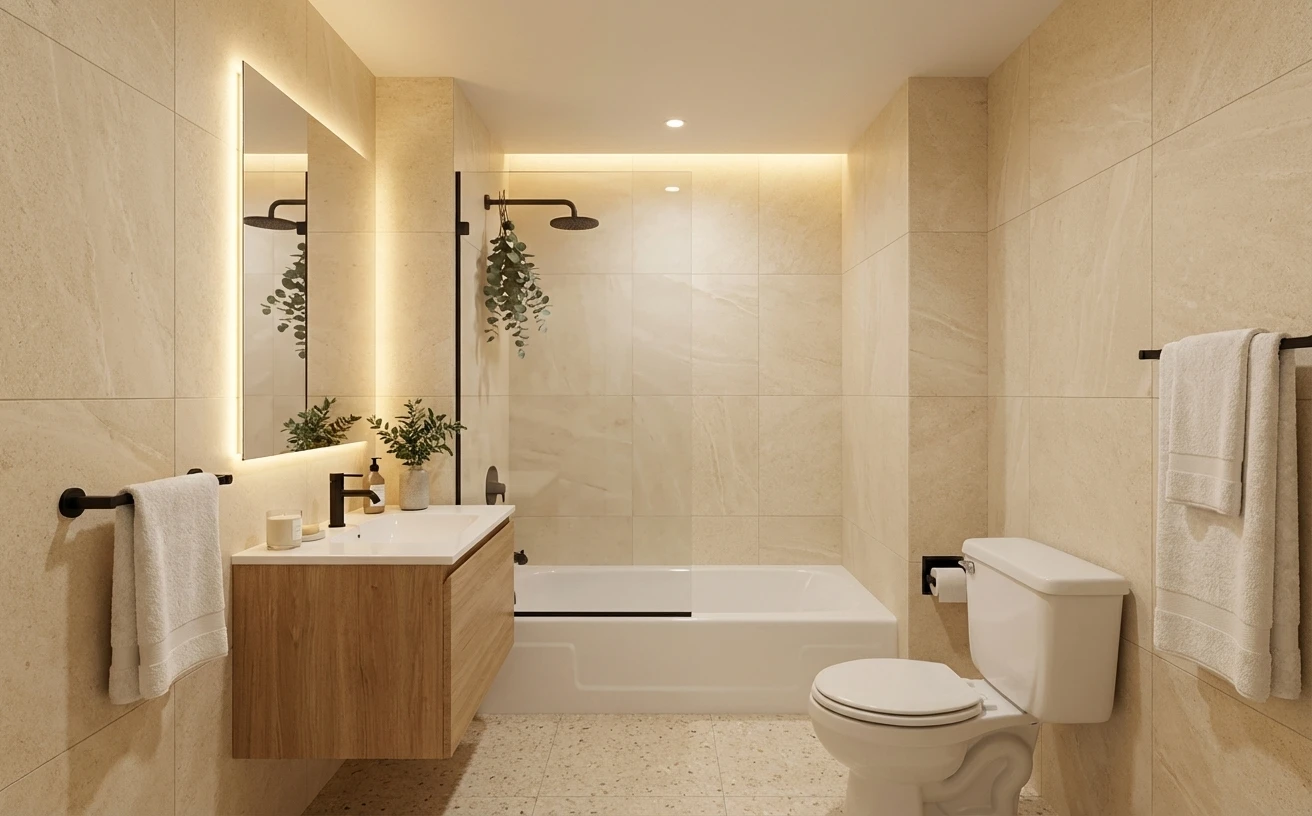
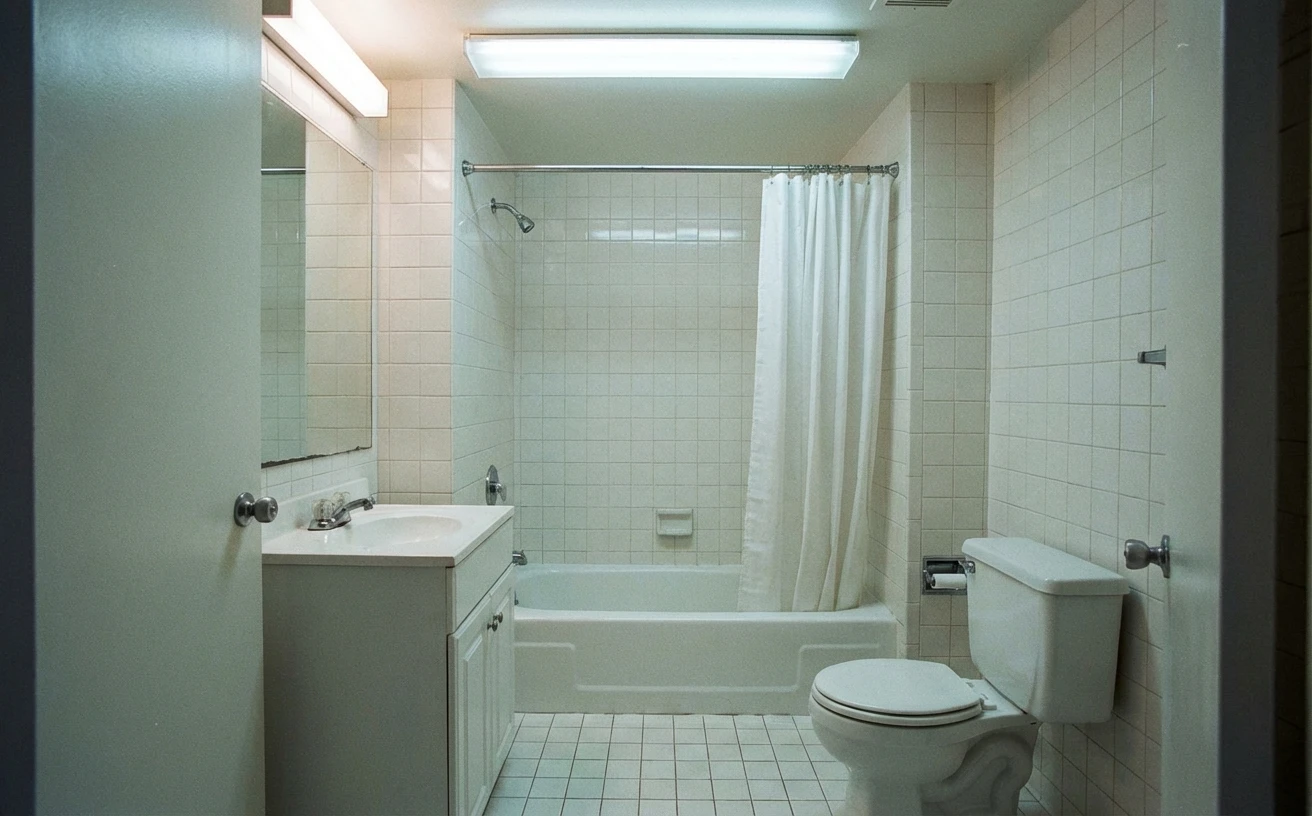
Spa-Inspired
Bathroom
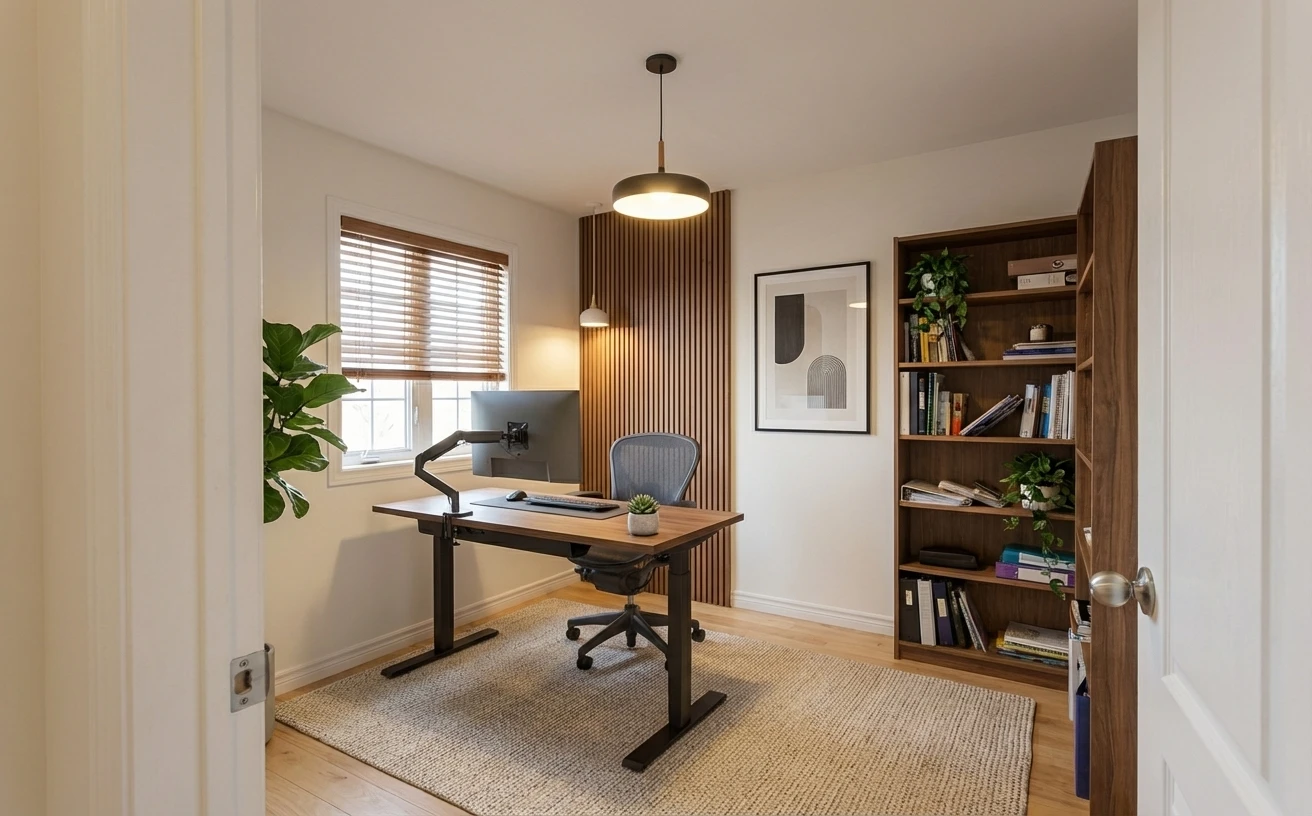
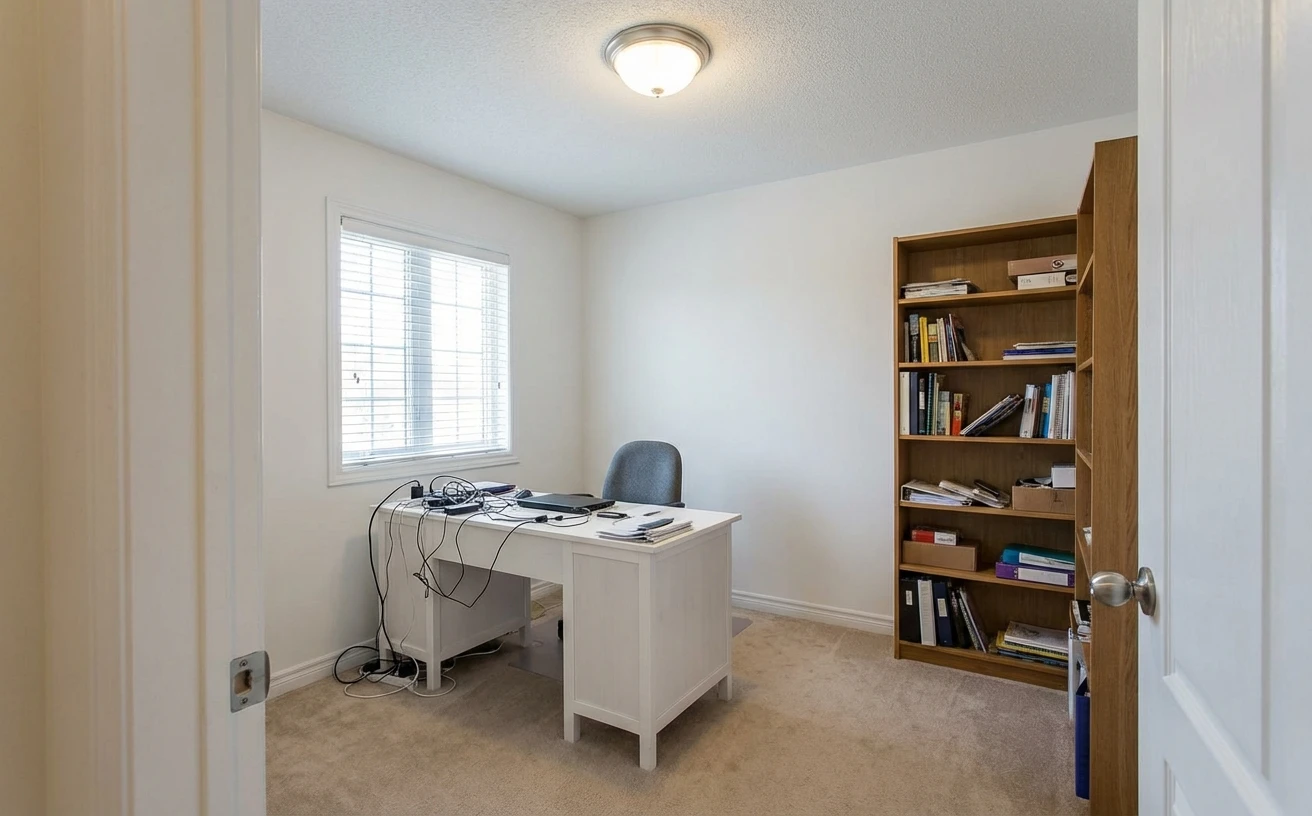
Productive Modern
Home Office
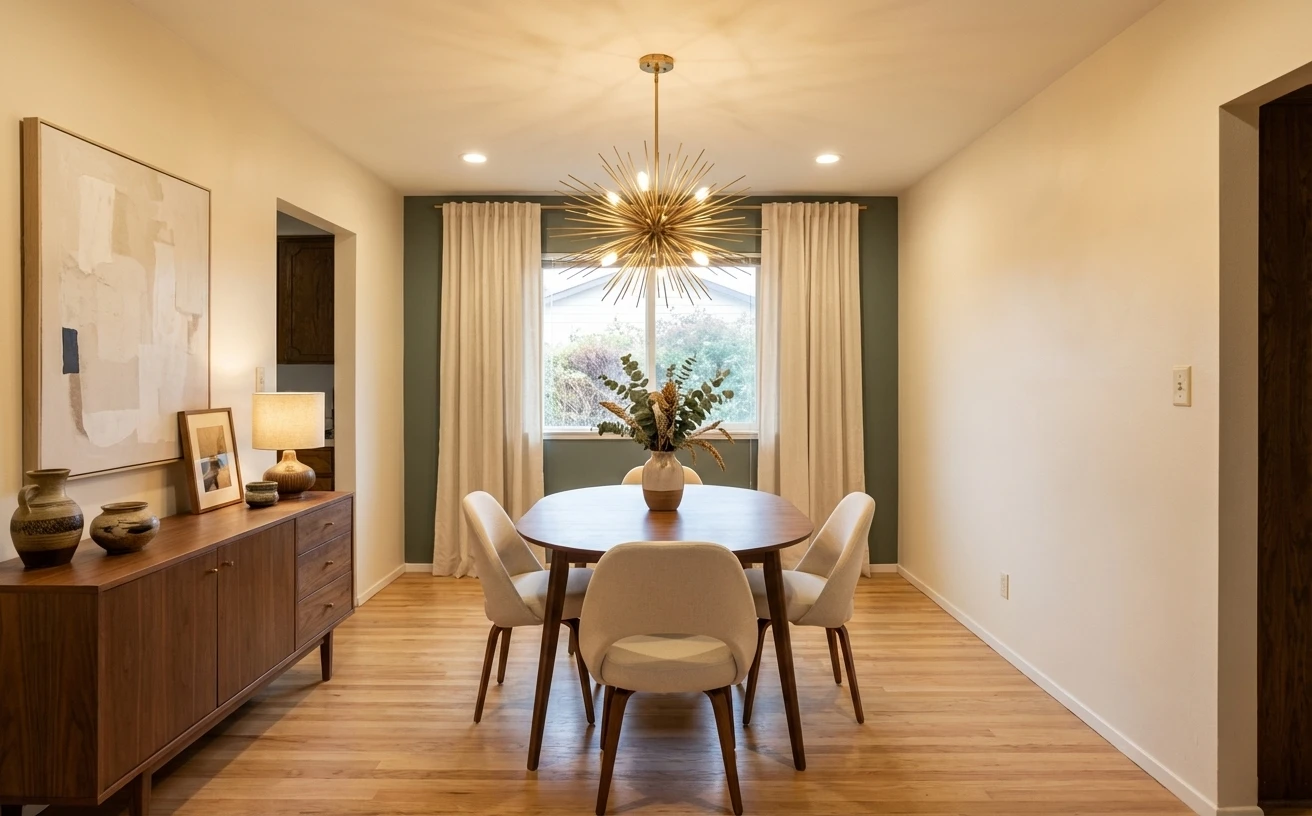
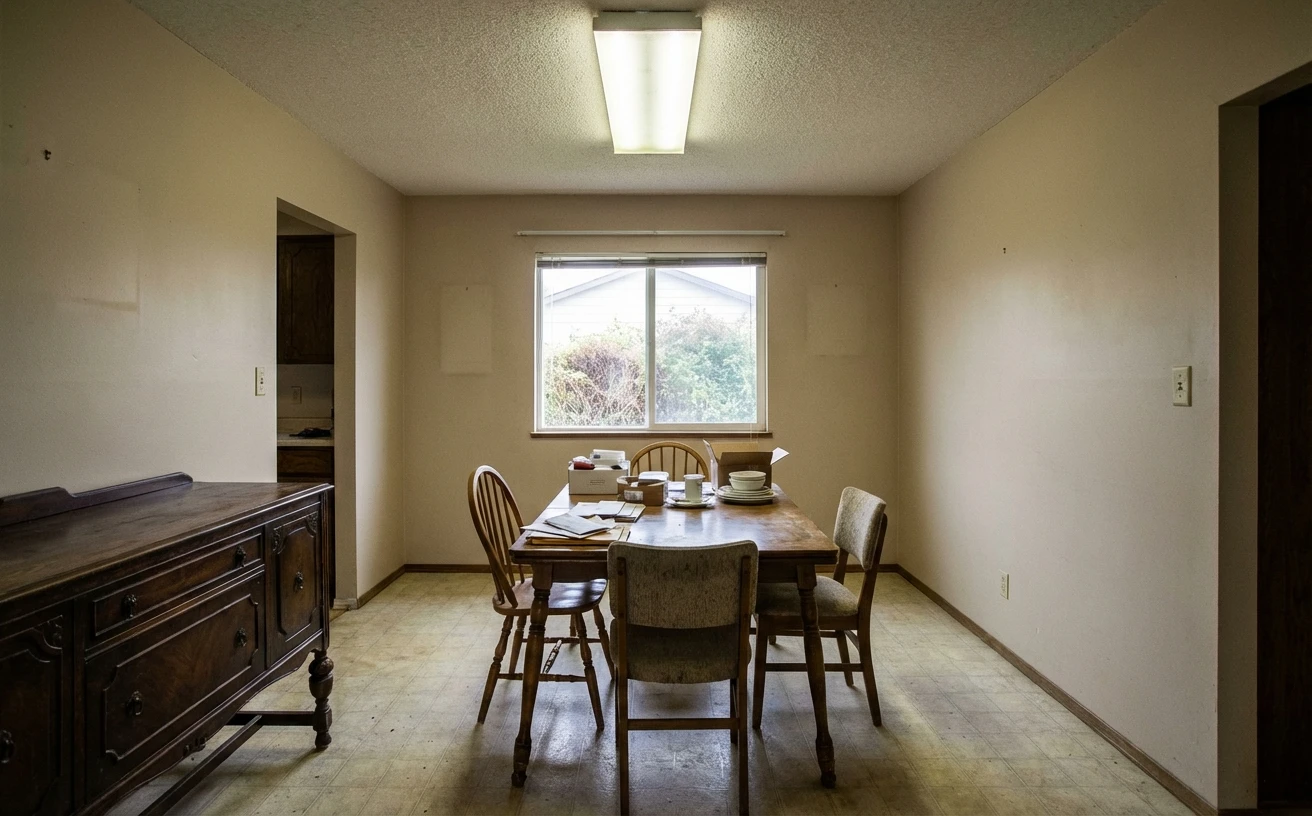
Mid-Century
Dining Room
Explore by room type
Design tips, popular styles, and more transformations
See it work on any space
Same room, same structure — only the design changes.
Home Office
Productive Modern
Dining Room
Mid-Century Modern
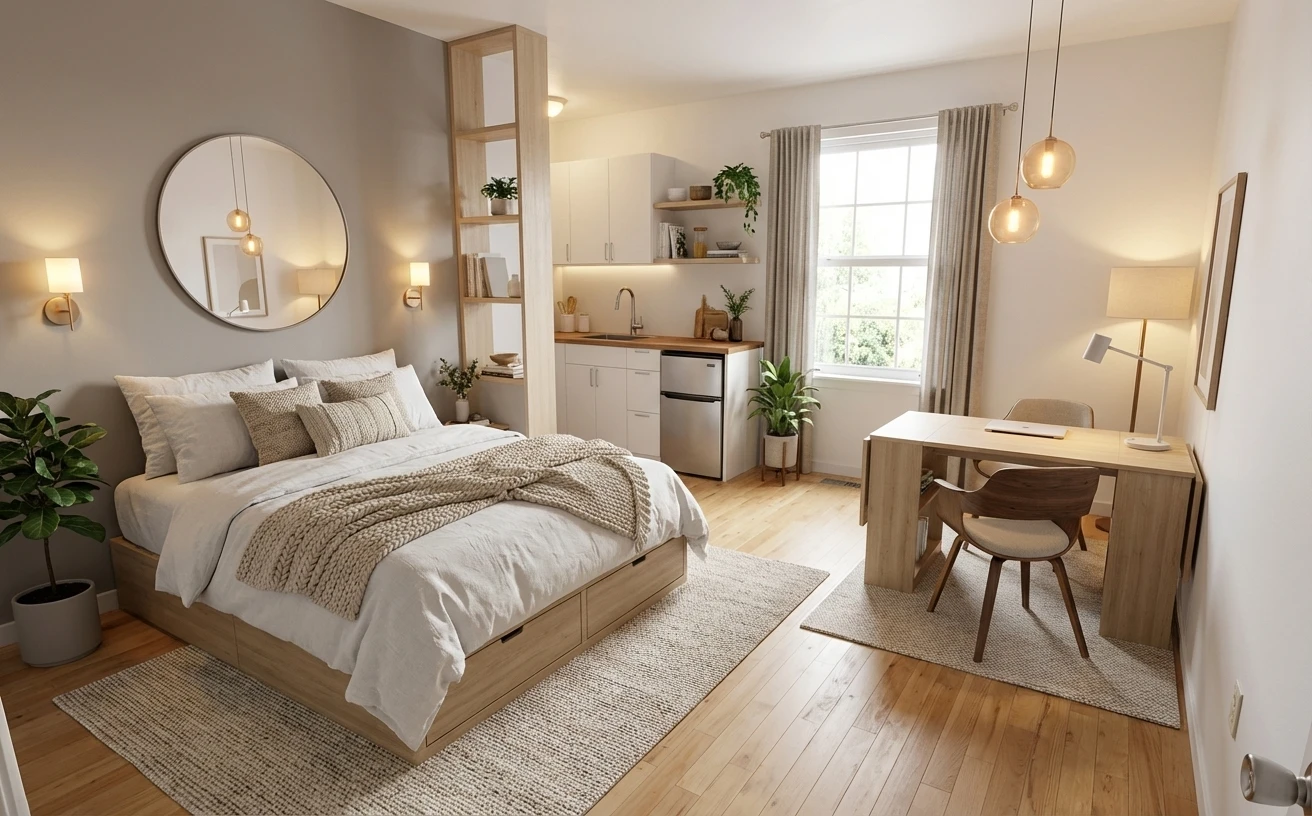
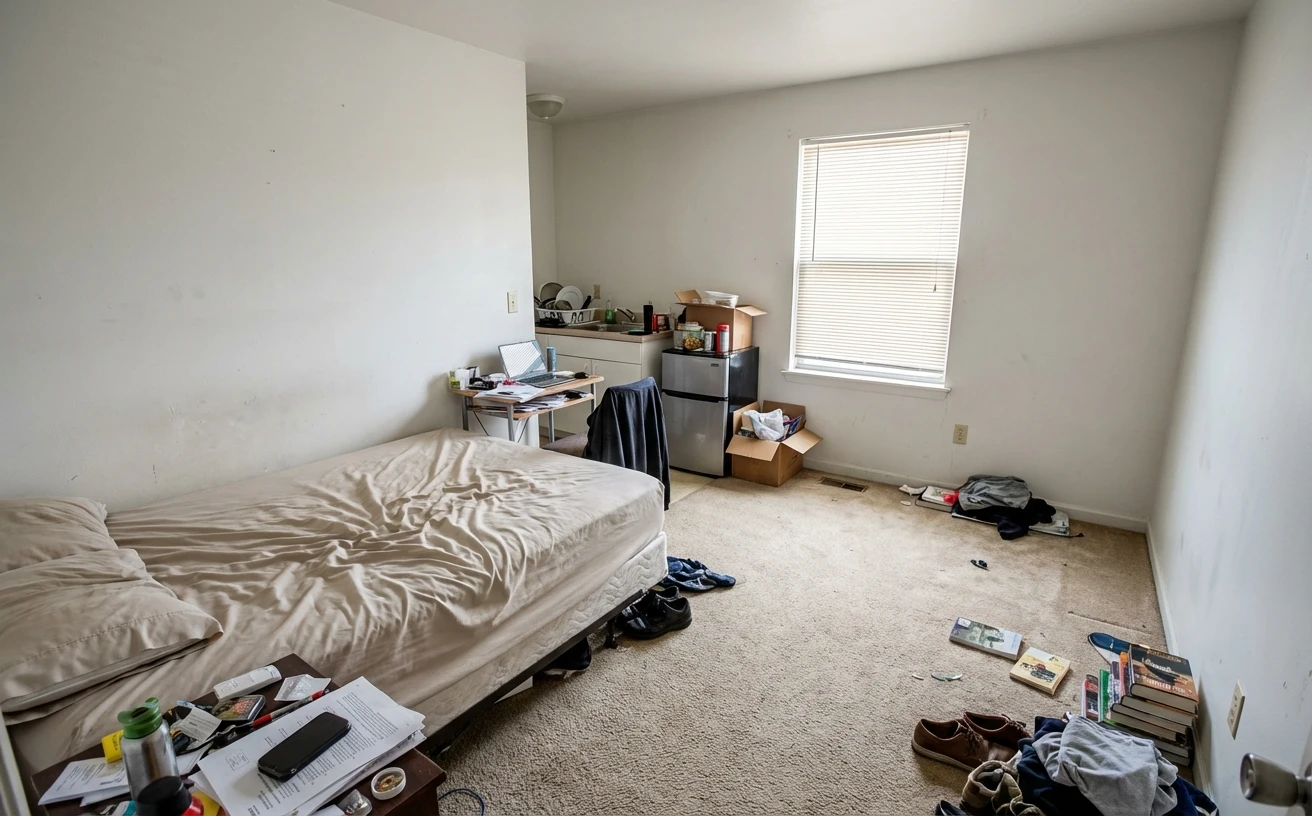
Studio Apt
Compact Scandinavian
Three steps. One minute.
Snap a photo
Any room, any angle. Add Pinterest boards or product links if you have a vision.
AI redesigns it 3 ways
Three distinct styles, your exact room structure. Compare with a before/after slider.
Get the execution plan
What to buy, what to change, difficulty ratings. Hand the PDF to your contractor.
Not just pretty pictures
Other tools generate an image and leave you there. Habitas gives you a plan you can actually act on.
Hand your contractor a real plan
Every redesign comes with a categorized list: what to buy, what to change, difficulty level, and priority. Export as PDF.
Your taste, not a template
Feed in Pinterest boards, product links, or photos you love. The AI matches your actual style.
Decide with confidence
Drag a slider to compare each variant against the original. See the difference — stop imagining it.
Get everyone on the same page
Share the project with your partner, designer, or contractor. Everyone sees the same variants and plan.
What people are saying
From homeowners, designers, contractors, and renovators.
“We were choosing between three contractors’ proposals blindly. Habitas let us see each option before committing. Saved us from an $8K mistake.”

María L.
Homeowner, Barcelona
“I used to spend hours building mood boards in Figma for clients. Now I upload a room photo, generate variants in minutes, and send a comparison link. Not perfect every time but way faster than my old workflow.”

James T.
Interior Designer, Austin
“The execution plan PDF is what sold me. My contractor actually understood what I wanted for the first time. Would love more control over budget estimates tho.”

Sofía R.
Apartment Renovator, Miami
“Showed my wife 3 options for the living room instead of arguing about paint colors for weeks. She picked one in 10 minutes. Worth every penny.”

David K.
Homeowner, Denver
“As a realtor I use it for virtual staging. Upload an empty room, get 3 styled versions. Listings with Habitas photos sell 23% faster in my experience.”

Rachel M.
Realtor, Chicago
“The Japandi style it generated for my bedroom was stunning. Only issue: now I actually have to spend the money to make it happen lol.”

Tom W.
First-time Buyer, London
“I run a small renovation company. Clients used to show me Pinterest screenshots. Now they show me Habitas plans with exact items and priorities. Game changer.”

Carlos G.
Contractor, Phoenix
“Tried 3 other AI design tools before this. They all gave me weird renders that looked nothing like my actual room. Habitas nailed the structure.”

Anna S.
Interior Design Student, Berlin
“Used it to redesign my home office. The before/after comparison convinced my partner we needed to invest in the reno. Best $29/mo I’ve spent.”

Mike P.
Remote Worker, Portland
“We were choosing between three contractors’ proposals blindly. Habitas let us see each option before committing. Saved us from an $8K mistake.”
María L.
Homeowner, Barcelona
“I used to spend hours building mood boards in Figma for clients. Now I upload a room photo, generate variants in minutes, and send a comparison link. Not perfect every time but way faster than my old workflow.”
James T.
Interior Designer, Austin
“The execution plan PDF is what sold me. My contractor actually understood what I wanted for the first time. Would love more control over budget estimates tho.”
Sofía R.
Apartment Renovator, Miami
“Showed my wife 3 options for the living room instead of arguing about paint colors for weeks. She picked one in 10 minutes. Worth every penny.”
David K.
Homeowner, Denver
“As a realtor I use it for virtual staging. Upload an empty room, get 3 styled versions. Listings with Habitas photos sell 23% faster in my experience.”
Rachel M.
Realtor, Chicago
“The Japandi style it generated for my bedroom was stunning. Only issue: now I actually have to spend the money to make it happen lol.”
Tom W.
First-time Buyer, London
“I run a small renovation company. Clients used to show me Pinterest screenshots. Now they show me Habitas plans with exact items and priorities. Game changer.”
Carlos G.
Contractor, Phoenix
“Tried 3 other AI design tools before this. They all gave me weird renders that looked nothing like my actual room. Habitas nailed the structure.”
Anna S.
Interior Design Student, Berlin
“Used it to redesign my home office. The before/after comparison convinced my partner we needed to invest in the reno. Best $29/mo I’ve spent.”
Mike P.
Remote Worker, Portland
Not sure where to start?
Discover your interior design style
Take our 60-second quiz and get personalized style recommendations with key pieces to start your redesign.
Common questions
Very. We use the latest Gemini image models trained on professional interior photography. The output preserves your room’s exact structure — walls, windows, doors stay locked — while changing furniture, materials, and styling. Most users say it looks like a real photo, not a render.
Yes. Upload moodboard images, Pinterest screenshots, or photos of specific products you love. The AI uses them as direct input when generating your variants, so the output matches your taste, not a generic template.
A categorized list of every change: furniture, paint, lighting, textiles, decor. Each item has a priority level (must-do vs. nice-to-have), a difficulty rating, and suggested alternatives. Export it as a PDF to hand directly to your contractor or use as a shopping list.
Under 60 seconds per variant. You get 3 variants per generation, all running in parallel. From upload to comparing 3 photorealistic options: about a minute.
Your projects and designs are preserved — you just can’t generate new variants until you upgrade. No data is deleted. Upgrade anytime and pick up where you left off.
Simple pricing. No surprises.
All features on every plan. Pick the one that fits your project.
Free
See if it works for you
- 1 project, 3 rooms
- 2 AI designs
- All features included
- No time limit
Pro
Full renovation toolkit
- Unlimited projects & rooms
- 200 generations/mo
- Priority queue
- PDF export & team sharing
- Cancel anytime
Starter
One project at a time
- 3 projects, 10 rooms each
- 60 generations/mo
- PDF export
- Cancel anytime
One photo. That's all it takes.
Stop scrolling Pinterest and start seeing your actual room transformed.