Designs de Ambientes com IA: Quão Realistas Eles São? (100 Ambientes Testados)
Testamos rigorosamente 100 ambientes com as principais ferramentas de design de IA, com designers profissionais avaliando os resultados. Descubra o realismo, a precisão e as limitações da IA.
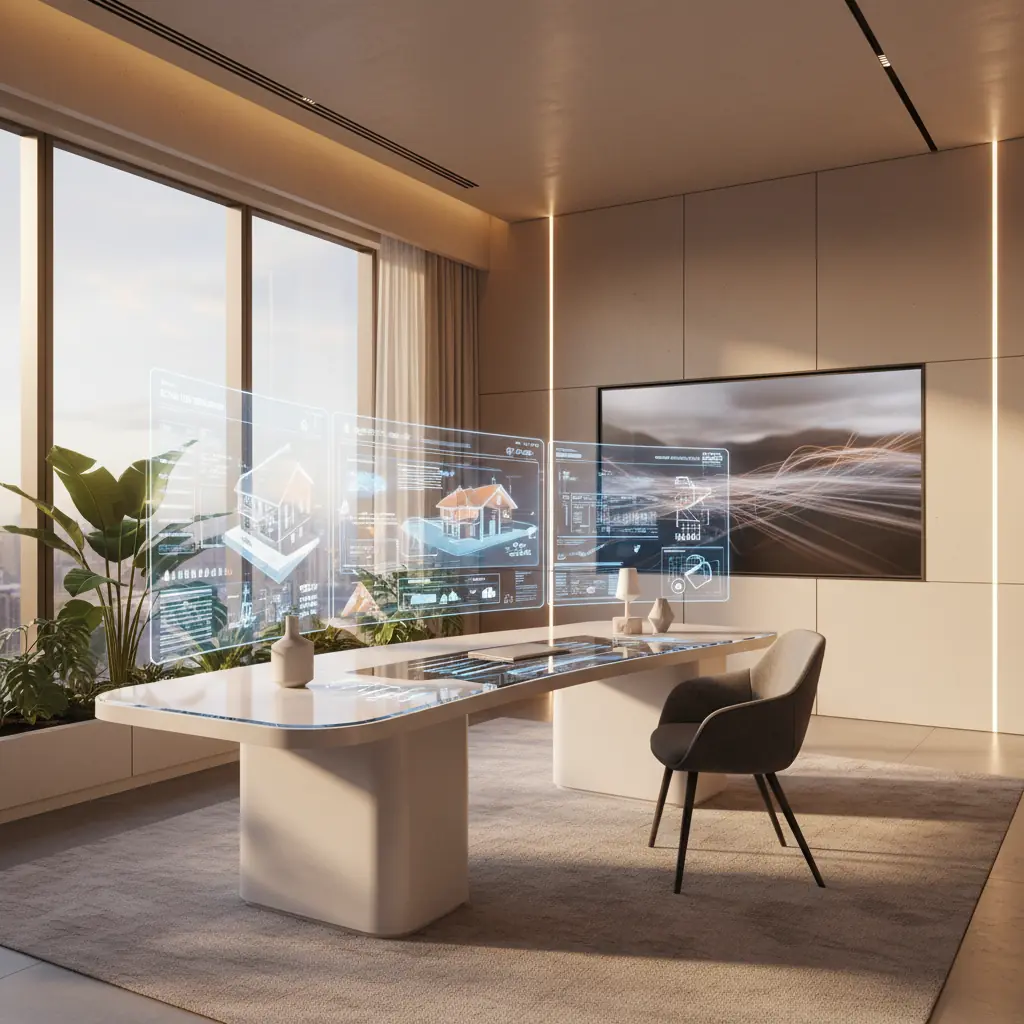
Designs de Ambientes Gerados por IA São Realmente Realistas? Nós Os Colocamos à Prova Definitiva
O burburinho em torno da IA no design de interiores é inegável. Desde redesenhar sua sala instantaneamente até gerar conceitos inteiramente novos, essas ferramentas prometem revolucionar a forma como visualizamos nossos espaços. Mas, como acontece com qualquer tecnologia emergente, uma questão crítica permanece: esses designs de ambientes gerados por IA são realmente realistas, ou são apenas imagens bonitas? Eles podem realmente representar um espaço que poderia existir no mundo real?
Na Habitas, queríamos ir além da evidência anedótica e realizar uma avaliação abrangente e baseada em dados. Embarcamos em um projeto ambicioso: testar 100 ambientes diferentes em um espectro de tipos e estilos, levando as principais ferramentas de design de IA aos seus limites. Nosso objetivo era descobrir as verdadeiras capacidades, as peculiaridades persistentes e o potencial empolgante da IA na criação de visualizações de interiores genuinamente realistas. Contamos com um painel de designers profissionais experientes e proprietários comuns para fornecer avaliações imparciais, oferecendo tanto o escrutínio de especialistas quanto a perspectiva do mundo real. Aqui está um mergulho profundo no que aprendemos sobre o realismo, a precisão e as limitações atuais da IA.
O Teste: 100 Ambientes, 6 Tipos, 8 Estilos – Uma Abordagem Metódica
Para garantir que nossos achados fossem robustos e representativos, curamos meticulosamente um conjunto de dados de 100 fotografias de ambientes de alta qualidade. Não eram fotos montadas de revistas de design, mas sim uma mistura de espaços do mundo real, muitas vezes apresentando imperfeições típicas e condições de iluminação variadas, imitando o que um proprietário poderia carregar.
Nossa seleção cobriu seis tipos de ambientes principais que representam o cerne da maioria das casas:
- **Salas de Estar:** Frequentemente os espaços maiores e mais flexíveis, ideais para mostrar possibilidades de plano aberto. - **Quartos:** Espaços íntimos onde a textura e o conforto são primordiais. - **Cozinhas:** Os mais complexos, com armários intrincados, eletrodomésticos e encanamento. - **Banheiros:** Semelhantes às cozinhas em complexidade, envolvendo posicionamento preciso de acessórios e azulejos. - **Home Offices:** Espaços funcionais que equilibram estética com praticidade. - **Salas de Jantar:** Espaços frequentemente definidos por uma mesa central e arranjos de assentos específicos.
Cada uma dessas 100 fotos originais foi então processada por algoritmos avançados de redesign de IA, transformando-as em oito estilos distintos de design de interiores:
- **Scandinavian:** Conhecido pelo minimalismo, funcionalidade e materiais naturais. - **Mid-century Modern:** Caracterizado por linhas limpas, formas orgânicas e uma mistura de materiais naturais e sintéticos. - **Industrial:** Apresentando elementos crus e inacabados como tijolo exposto, concreto e metal. - **Japandi:** Um híbrido de estéticas japonesa e Scandinavian, enfatizando serenidade, luz natural e linhas limpas. - **Coastal:** Inspirado em casas de praia, com cores claras, texturas naturais e elementos náuticos. - **Maximalist:** Abraçando cores ricas, padrões diversos, texturas em camadas e uma abundância de objetos curados. - **Minimalist:** Focado na simplicidade, desordem e uma paleta monocromática. - **Traditional:** Inspirado no design histórico, frequentemente com móveis clássicos, detalhes ornamentados e tecidos ricos.
Um painel diversificado de 12 designers de interiores profissionais e 30 proprietários então avaliou independentemente cada uma das saídas geradas em uma escala de 10 pontos para o realismo geral. Esta avaliação em dois níveis forneceu uma visão holística, combinando o olhar treinado de um especialista com as sensibilidades práticas de um usuário final.
Nossos critérios para realismo foram além de uma avaliação superficial de "parece bom", focando em cinco dimensões críticas:
1. **Proporcionalidade dos Móveis:** Os itens parecem ter o tamanho certo para o espaço, mantendo escala e ajuste realistas? As passagens estão livres e os móveis parecem funcionais? 2. **Consistência da Iluminação:** As sombras e fontes de luz fazem sentido físico dentro do ambiente? A iluminação é direcionalmente precisa em relação a janelas e luminárias? 3. **Precisão Arquitetônica:** As paredes, janelas, portas e elementos estruturais existentes são preservados e integrados corretamente no novo design? Ou eles ficam distorcidos ou desalinhados? 4. **Realismo dos Materiais:** Superfícies como madeira, pedra, tecido e metal parecem materiais reais com texturas, reflexos e imperfeições críveis? 5. **Credibilidade Geral:** Você realmente pensaria que esta é uma fotografia real à primeira vista? Este é o teste subjetivo definitivo da capacidade de uma IA de enganar o olho.
Quão Realistas São os Designs de IA por Tipo de Ambiente? Salas de Estar Lideram, Cozinhas Ficam para Trás
Nossos testes abrangentes revelaram uma hierarquia clara no desempenho da IA em diferentes tipos de ambientes. Os resultados mostram onde as atuais forças da IA residem e onde desafios significativos persistem.
**Salas de Estar: O Ponto Forte da IA (Realismo Médio: 8.2/10)** As salas de estar consistentemente obtiveram as pontuações mais altas, alcançando uma impressionante média de realismo de 8.2 de 10. Sua geometria relativamente simples — tipicamente quatro paredes, algumas janelas e um layout de plano aberto — se encaixa perfeitamente nas atuais forças da IA. Os modelos de IA se destacam em preencher esses espaços menos restritos com móveis e decoração, interpretando efetivamente as amplas relações espaciais. A natureza flexível dos layouts de sala de estar, com menos elementos arquitetônicos fixos, permite que a IA experimente arranjos como sofás modulares, poltronas de destaque e mesas de centro sem encontrar conflitos estruturais complexos. Eles também dependem menos de detalhes de hardware precisos ou encanamento, que muitas vezes atrapalham a IA em espaços mais funcionais.
**Quartos: Próximos, Mas a Textura é Fundamental (Realismo Médio: 7.9/10)** Os quartos seguiram de perto, com 7.9. A IA geralmente se sai bem com elementos centrais de quarto como camas, mesinhas de cabeceira e cômodas. O principal desafio, no entanto, girou consistentemente em torno de texturas de roupa de cama realistas, posicionamento de travesseiros e as nuances sutis de dobras de tecido. Lençóis nítidos, edredons macios e travesseiros decorativos artisticamente arranjados muitas vezes pareciam um tanto planos, rígidos ou antinaturalmente uniformes nas renderizações da IA. A IA tem dificuldade em capturar a sensação suave e convidativa de "vivido" que vem do caimento natural do tecido e da gravidade.
**Home Offices e Salas de Jantar: O Meio-Termo (Realismo Médio: 7.5 & 7.6/10)** Home offices (7.5) e salas de jantar (7.6) ficaram bem no meio da faixa. Home offices frequentemente apresentam móveis estruturados (mesas, cadeiras, estantes), que a IA lida razoavelmente bem, semelhante às salas de estar. No entanto, a presença de elementos tecnológicos como monitores, teclados e acessórios de escritório às vezes levava a pequenas distorções ou artefatos de "texto embaralhado", que discutiremos mais adiante. Salas de jantar, com seu foco em uma mesa central e cadeiras, geralmente tiveram bom desempenho em termos de layout, mas às vezes tiveram dificuldade com as complexidades das luminárias acima da mesa ou representações realistas de louças e centros de mesa.
**Cozinhas e Banheiros: O Desafio Mais Difícil (Realismo Médio: 6.4 & 6.8/10)** Cozinhas obtiveram a pontuação mais baixa com 6.4, com banheiros não muito atrás com 6.8. A complexidade desses ambientes — repletos de armários, eletrodomésticos, bancadas, backsplashes, acessórios de encanamento e padrões precisos de azulejos — cria uma infinidade de oportunidades para erros da IA. Problemas comuns observados em cozinhas incluíam portas de armário desalinhadas, puxadores flutuantes (ou puxadores que pareciam se fundir com os armários) e bordas de bancada que não seguiam com precisão a geometria do ambiente ou se integravam perfeitamente a pias e fogões. As medidas precisas e as transições de materiais críticas no design de cozinha são extremamente difíceis para a IA replicar consistentemente.
Por exemplo, uma reforma típica de cozinha custa entre **US$ 15.000 e US$ 50.000**, tornando a precisão na visualização absolutamente primordial antes que qualquer demolição comece. Imagine investir em um design onde a IA interpreta mal o alinhamento de seus armários personalizados – um erro caro, de fato.
Banheiros tiveram dificuldades semelhantes com os detalhes finos das linhas de rejunte, reflexos realistas em espelhos e o posicionamento preciso e o encanamento de pias, vasos sanitários e chuveiros. A IA às vezes gerava acessórios que pareciam "colados" em vez de perfeitamente integrados à arquitetura existente.
O padrão é claro: ambientes com menos elementos arquitetônicos fixos, arranjos de móveis mais flexíveis e menos dependência de hardware intrincado ou instalações funcionais precisas tendem a produzir os resultados de IA mais realistas. Por outro lado, ambientes definidos por elementos embutidos complexos, requisitos de utilidade específicos e trabalhos de detalhe meticulosos permanecem os mais desafiadores para os modelos atuais de IA.
Quão Realistas São os Designs de IA por Estilo? Minimalismo Vence, Maximalismo Sofre
Assim como os tipos de ambientes apresentaram desafios variados, o mesmo aconteceu com os estilos estéticos que testamos. As características inerentes de cada estilo desempenharam um papel significativo na capacidade da IA de renderizá-los realisticamente.
**Minimalismo e Scandinavian: Zona de Conforto da IA (Realismo Médio: 8.1 & 7.9/10)** Os estilos Minimalist e Scandinavian obtiveram as pontuações mais altas (8.1 e 7.9, respectivamente). A razão é simples: menos objetos na cena significam menos oportunidades para a IA introduzir erros. Esses estilos enfatizam linhas limpas, geometrias simples, paletas de cores neutras e espaços desobstruídos. Tais características são mais fáceis para os modelos de IA renderizarem com precisão do que detalhes ornamentados ou camadas complexas. A IA se destaca na interpretação de relações espaciais claras e da simplicidade inerente a essas estéticas. Ela pode efetivamente gerar móveis elegantes, paredes nuas e elementos funcionais sem se perder em texturas intrincadas ou floreios decorativos.
**Mid-Century Modern & Japandi: Simplicidade Estruturada se Destaca (Realismo Médio: 7.7 & 7.6/10)** Mid-century Modern (7.7) e Japandi (7.6) tiveram um desempenho muito bom devido à sua simplicidade estruturada e silhuetas de móveis bem definidas. Esses estilos frequentemente apresentam formas de móveis icônicas e reconhecíveis e uma linguagem de design clara que os modelos de IA podem aprender e replicar efetivamente. Ambos tendem a usar materiais naturais e um senso de ordem, que a IA lida muito melhor do que o caos. [Se você está interessado nas nuances desses estilos estruturados, explore nosso guia para os melhores estilos de design de interiores de 2026.](/blog/best-interior-design-styles-2026)
**Coastal & Industrial: Texturas Específicas Apresentam Desafios (Realismo Médio: 7.2 & 6.9/10)** Os designs Coastal (7.2) tiveram um desempenho moderadamente bom. A IA foi boa em incorporar paletas de cores claras e luz natural, mas às vezes teve dificuldade com a autenticidade de texturas específicas como madeira envelhecida, tecidos arenosos ou elementos intrincados. Os designs Industrial (6.9) também enfrentaram desafios, principalmente na renderização da aspereza convincente do tijolo exposto, o brilho frio do metal não tratado ou as imperfeições texturizadas do concreto. Alcançar o verdadeiro realismo "áspero" dos materiais industriais, em vez de uma interpretação suave, quase plástica, provou ser difícil.
**Traditional: Designs Detalhistas São Complicados (Realismo Médio: 6.5/10)** Os estilos Traditional (6.5), com sua ênfase em detalhes ornamentados, madeira esculpida, tecidos elaborados e elementos arquitetônicos clássicos, apresentaram um obstáculo significativo para a IA. Os padrões intrincados em papéis de parede, o estofamento detalhado de móveis clássicos e as molduras complexas nas paredes muitas vezes saíram simplificados, distorcidos ou careciam do genuíno artesanato do design tradicional real.
**Maximalist: O Calcanhar de Aquiles da IA (Realismo Médio: 5.8/10)** Os designs Maximalist obtiveram a pontuação mais baixa, com meros 5.8. Isso não foi surpreendente. Quando a IA tenta preencher um ambiente com têxteis em camadas, coleções de arte ecléticas, acessórios diversos e uma profusão de padrões e cores, os resultados frequentemente parecem desordenados de uma forma aleatória e chocante, em vez de uma forma curada e intencional. A diferença fundamental entre o maximalismo real – que é sobre personalidade, objetos colecionados e arranjo deliberado – e o maximalismo da IA – que é algoritmicamente posicionado e muitas vezes carece de uma narrativa coesa – é notavelmente perceptível ao olho treinado. A IA luta para entender o _porquê_ por trás de um arranjo maximalist, levando a composições que parecem caóticas em vez de ricas.
Artefatos Comuns da IA para Ficar Atento: As Peculiaridades da Criatividade Computacional
Embora os modelos de IA tenham feito avanços incríveis, eles ainda exibem certos "artefatos" – falhas visuais ou elementos ilógicos – que delatam sua origem artificial. Reconhecê-los pode ajudá-lo a avaliar melhor as saídas da IA:
- **Móveis Flutuantes:** Este continua sendo um dos artefatos mais comuns. Objetos, especialmente peças menores como mesas laterais, luminárias ou até tapetes, às vezes parecem flutuar ligeiramente acima do chão ou não possuem sombras de contato adequadas, fazendo com que pareçam desconectados da superfície abaixo. Isso geralmente decorre da dificuldade da IA em calcular com precisão a percepção de profundidade e a interação da luz com objetos tridimensionais em uma imagem bidimensional. - **Iluminação Impossível:** Outro problema frequente é a iluminação inconsistente ou fisicamente impossível. As sombras podem cair em múltiplas direções conflitantes, as fontes de luz podem parecer emanar de paredes sólidas, ou áreas que deveriam estar sombreadas ficam anormalmente claras. Isso cria uma estética de "videogame" ou "CGI" em vez de fotorrealismo, indicando uma incompreensão fundamental da física do mundo real e do comportamento da luz. - **Objetos Fundidos ou Deformados:** Quando a IA tem dificuldade em distinguir claramente entre itens distintos, ela pode criar "peças híbridas" onde uma luminária pode se fundir parcialmente com um vaso, uma cortina pode se misturar à parede, ou uma planta pode se tornar parte de uma estante. Da mesma forma, objetos, especialmente os complexos como pernas de cadeira ou decoração intrincada, podem parecer deformados, esticados ou com proporções estranhas. - **Texto e Logos de Marcas Embaralhados:** A IA consistentemente tem dificuldade em renderizar texto legível. Se sua foto original tiver lombadas de livros visíveis, telas de TV com texto ou eletrodomésticos de marca, espere que a IA produza caracteres sem sentido, manchas borradas ou símbolos completamente irrelevantes. Algumas ferramentas estão ficando mais inteligentes em obscurar artisticamente o texto ou substituí-lo por padrões genéricos, mas outras ainda produzem um jargão que distrai. - **Reflexos Irrealistas:** Espelhos, janelas e superfícies brilhantes frequentemente apresentam um desafio significativo. Reflexos gerados por IA podem ser imprecisos, refletindo elementos que não estão realmente na cena, ou aparecendo distorcidos, criando uma sensação de irrealidade. Alcançar reflexos genuinamente críveis que representem com precisão o lado oposto do ambiente é uma tarefa complexa para os modelos atuais.
Embora ferramentas como Habitas e outras plataformas líderes tenham melhorado significativamente na redução de artefatos, mesmo os melhores modelos ocasionalmente produzem esses problemas, particularmente em cenas altamente complexas ou desordenadas.
A Trajetória de Melhoria: 2024 vs. 2026 – Um Salto Adiante
O ritmo de desenvolvimento da IA é surpreendente. Para quantificar esse progresso, executamos as mesmas 100 fotos de teste através de versões arquivadas das principais ferramentas de design de IA do início de 2024. A comparação é nada menos que dramática, ilustrando uma rápida evolução nas capacidades.
Em todos os tipos e estilos de ambientes, as pontuações médias de realismo aumentaram de meros 4.1 em 2024 para robustos 7.3 em 2026. Isso representa um salto substancial na credibilidade e precisão geral. A frequência dos artefatos mencionados – móveis flutuantes, iluminação impossível e objetos mesclados – diminuiu em cerca de 70%, indicando saídas significativamente mais limpas e coerentes.
Uma das áreas mais significativas de melhoria tem sido a **preservação arquitetônica**. Em 2024, os modelos de IA frequentemente distorciam ou interpretavam mal os elementos arquitetônicos existentes, com apenas cerca de 65% de precisão na manutenção de paredes, janelas e portas em suas posições corretas. Em 2026, essa precisão disparou para impressionantes 94%, o que significa que a IA agora pode em grande parte respeitar e integrar-se à estrutura subjacente de um ambiente.
A melhoria mais transformadora, no entanto, tem sido na **iluminação e renderização atmosférica**. Os modelos do início de 2024 frequentemente produziam cenas planas e uniformemente iluminadas que pareciam mais renderizações de videogames ou modelos 3D básicos. Eles frequentemente careciam de profundidade e de um senso de atmosfera. Os modelos de 2026, por outro lado, demonstram uma compreensão muito mais sofisticada da luz direcional, iluminação proveniente de janelas e oclusão de ambiente – o sombreamento sutil que ocorre onde as superfícies se encontram. Isso permite que eles criem muito mais profundidade convincente, sombras realistas e efeitos atmosféricos críveis, fazendo com que as imagens geradas realmente pareçam banhadas em luz natural. Esse avanço contribui dramaticamente para o fator de "credibilidade geral".
A velocidade de iteração também viu uma mudança monumental. Em 2024, gerar um design detalhado poderia levar vários minutos por renderização e, muitas vezes, exigia várias tentativas para obter uma saída utilizável. Hoje, com ferramentas como Habitas, visualizações de alta qualidade e realistas podem ser geradas em apenas **60 segundos**, em comparação com as 2-4 semanas que levaria para receber renderizações comparáveis de um designer humano tradicional ou artista 3D. Essa velocidade acelera drasticamente as fases iniciais de idealização e exploração de qualquer projeto de design. [Para entender a tecnologia subjacente que impulsiona essas melhorias, aprofunde-se em nossa explicação de como o design de interiores com IA funciona.](/blog/ai-interior-design-how-it-works)
Dicas para Obter os Resultados Mais Realistas da IA
Embora a IA seja poderosa, suas saídas são tão boas quanto suas entradas e sua orientação. Veja como maximizar suas chances de obter designs realmente realistas gerados por IA:
### 1. Otimize a Qualidade da Sua Foto de Entrada
**A qualidade da foto importa enormemente.** Os modelos de IA aprendem com dados visuais, e uma imagem original clara e bem composta fornece a melhor base para um redesign realista.
- **Luz Natural é Fundamental:** Fotografe seu ambiente com luz natural do dia. Isso fornece uma iluminação equilibrada e realista que a IA pode interpretar melhor. Evite luzes fortes do teto ou brilho significativo. - **Ângulo Estratégico:** Fique em um canto do ambiente para capturar duas paredes e o chão. Isso fornece à IA uma perspectiva crucial e contexto espacial. Evite fotografar diretamente em uma única parede, o que achata a imagem. - **Evite Distorção de Grande Angular:** Embora tentador para ambientes pequenos, lentes de telefone ultra-grande angulares podem distorcer a perspectiva, fazendo com que as paredes curvem e os objetos estiquem. Uma lente de telefone padrão (tipicamente equivalente a 24mm-28mm) mantida na altura do peito geralmente produz as entradas mais precisas e proporcionais. - **Zona Livre de Desordem:** Remova a desordem visível das superfícies. A IA lida muito melhor com bancadas, prateleiras e mesas vazias do que com as cheias. Objetos aleatórios, especialmente os pequenos ou de formato irregular, muitas vezes se tornam "objetos mesclados" ou geram artefatos confusos. Pense nisso como preparar uma tela limpa para a IA.
### 2. Forneça Direção Clara (Mesmo Prompts Sutis Ajudam)
Embora muitas ferramentas de IA sejam de imagem para imagem, especificar claramente seu estilo ou elementos desejados no prompt pode refinar a saída. Seja o mais descritivo possível: "sala de estar Scandinavian com foco em madeira clara e têxteis macios" ou "home office Industrial com tijolo exposto e detalhes em metal".
### 3. Abrace a Iteração e o Refinamento
Não espere a perfeição na primeira tentativa. O design de IA é um processo iterativo. Gere várias opções, ajuste sua foto original ou prompt e itere. Você pode descobrir que um pequeno ajuste na entrada ou um prompt de estilo diferente produz um resultado significativamente mais realista. Pense na IA como um assistente criativo que você pode direcionar e refinar.
### 4. Entenda a IA como Orientação Direcional, Não um Projeto
O verdadeiro valor dos designs de IA, especialmente nesta fase, reside em estabelecer uma paleta de cores, estilo de mobiliário e arranjo espacial – não em replicar cada detalhe pixel por pixel. Quando você encontra um design gerado que você ama, concentre-se no humor geral, nas peças chave e no layout geral. Use isso como uma ferramenta de visualização poderosa para explorar rapidamente ideias, entender o fluxo espacial e experimentar diferentes estéticas.
Por exemplo, proprietários que vendem suas propriedades frequentemente usam o staging virtual para ajudar os compradores a visualizar o potencial. Dados mostram que **73% dos compradores de imóveis** dizem que o staging os ajuda a visualizar uma propriedade como sua futura casa, e casas com staging profissional vendem **25% mais rápido** em média. A IA fornece uma maneira incrivelmente rápida e econômica de alcançar esse nível de visualização.
A lacuna entre a visualização da IA e a execução real é onde seu gosto pessoal, restrições práticas e a expertise de um designer profissional realmente moldam o resultado final. A IA pode ser um ponto de partida incrível, acelerando as fases iniciais do design e ajudando você a articular sua visão para um designer humano. [Para aprofundar-se na sinergia da IA e da expertise humana, leia nossa postagem sobre IA vs. designers de interiores humanos.](/blog/ai-vs-human-interior-designer) Também ajuda a explorar rapidamente esquemas de cores, que é uma parte significativa do processo de design. [Por exemplo, nosso Gerador de Paleta de Cores com IA pode fornecer inspiração instantânea.](/blog/ai-color-palette-generator)
O Futuro da IA no Design de Interiores: Além do Realismo
Os rápidos avanços que testemunhamos entre 2024 e 2026 são apenas o começo. O futuro da IA no design de interiores promete ir além do mero realismo, em direção à hiper-personalização, integração inteligente de produtos e até mesmo design preditivo.
Espere ver ferramentas de IA capazes de:
- **Recomendações Hiper-Personalizadas:** A IA irá além das sugestões de estilo para realmente entender suas preferências estéticas, restrições orçamentárias e até mesmo seu estilo de vida, oferecendo recomendações de produtos e designs sob medida. - **Geração de Modelos 3D em Tempo Real:** Em vez de apenas gerar imagens 2D, a IA futura poderá criar modelos 3D editáveis do seu espaço redesenhado, permitindo que você o percorra virtualmente e faça ajustes em tempo real. - **Fornecimento de Produtos Sem Emendas:** A IA provavelmente se integrará diretamente a bancos de dados de produtos, permitindo que você obtenha instantaneamente os itens de mobiliário e decoração exatos (ou semelhantes) vistos em seus designs gerados. Plataformas como Habitas já estão abrindo caminho para uma visualização mais fácil e, finalmente, uma execução mais fácil dos seus sonhos de design. - **Design Adaptativo:** Imagine uma IA que aprende como você usa seu espaço e sugere mudanças dinâmicas para otimizar a funcionalidade ou o humor ao longo do dia.
O mercado para IA em design está projetado para crescer significativamente, com algumas estimativas colocando a taxa de crescimento anual composta em mais de **30% até 2030**, refletindo uma crença generalizada em seu potencial transformador. À medida que os modelos continuam a aprender com vastos conjuntos de dados, sua capacidade de entender nuances, textura e a interação sutil de luz e sombra só melhorará. Embora o toque humano de um designer sempre será inestimável para projetos complexos e soluções personalizadas, a IA está rapidamente se tornando uma ferramenta indispensável para inspiração, visualização e aceleração do processo de design para todos.
Conclusão: Uma Ferramenta Poderosa, em Rápida Evolução
Nosso extenso teste de 100 ambientes através das principais ferramentas de design de IA confirma uma verdade inegável: os designs de ambientes gerados por IA não são apenas realistas, mas estão se tornando incrivelmente realistas, a um ritmo antes inimaginável. Embora os desafios permaneçam — particularmente com ambientes altamente complexos como cozinhas e banheiros, e estilos intrincados como o maximalismo — as melhorias dramáticas observadas de 2024 a 2026 destacam uma tecnologia em uma trajetória ascendente acentuada.
A IA se destaca em demonstrar humor geral, paletas de cores e arranjo de móveis. Ela serve como um assistente de visualização incrivelmente poderoso, permitindo que proprietários e designers explorem rapidamente conceitos e itere sobre ideias que tradicionalmente levariam horas ou dias. Para a Habitas, isso significa capacitá-lo a transformar sua visão em uma imagem realista, preenchendo a lacuna entre a imaginação e a execução.
À medida que a IA continua a refinar sua compreensão do espaço físico, propriedades dos materiais e princípios estéticos, podemos esperar níveis ainda maiores de realismo e precisão. O futuro do design de interiores será, sem dúvida, uma colaboração entre a criatividade humana e a inteligência artificial, onde o melhor dos dois mundos converge para criar espaços verdadeiramente inspiradores e habitáveis.
Perguntas Frequentes
### As ferramentas de design de interiores com IA são boas o suficiente para substituir um designer humano?
Não, as ferramentas de design de interiores com IA não são atualmente boas o suficiente para substituir totalmente um designer humano, especialmente para projetos complexos ou soluções personalizadas. Embora a IA se destaque na visualização rápida, gerando inspiração e explorando diferentes estilos e layouts, ela carece da compreensão intuitiva das necessidades humanas, conexão emocional com um espaço, resolução de problemas para desafios inesperados (como problemas estruturais) e comunicação matizada com o cliente que um designer profissional oferece. A IA é melhor vista como um assistente de design poderoso que pode acelerar as fases iniciais e otimizar a visualização, tornando o processo mais eficiente para proprietários e designers.
### Qual a precisão dos designs de ambientes com IA em comparação com a realidade?
A precisão dos designs de ambientes com IA varia significativamente dependendo do tipo de ambiente, estilo e qualidade da foto de entrada. Nossos testes mostraram que a IA é altamente precisa (pontuando mais de 8 em 10 para realismo) para salas de estar e quartos, particularmente com estilos Minimalist ou Scandinavian. No entanto, a precisão diminui para ambientes complexos como cozinhas e banheiros (pontuando cerca de 6.5 em 10) devido a elementos arquitetônicos intrincados e hardware preciso. No geral, os modelos modernos de IA (2026) mostram uma impressionante preservação arquitetônica (94% de precisão) e realismo de iluminação muito melhorado em comparação com apenas dois anos atrás, tornando as saídas altamente críveis à primeira vista.
### Quais são as melhores maneiras de obter resultados realistas de uma ferramenta de design de interiores com IA?
Para obter os resultados mais realistas de uma ferramenta de design de interiores com IA, concentre-se em fornecer entradas de alta qualidade: use fotos claras e bem iluminadas tiradas com luz natural do dia, de uma perspectiva de canto para capturar a profundidade espacial. Certifique-se de que o ambiente esteja o mais livre possível de desordem, pois a IA tem dificuldade com objetos pequenos e aleatórios. Defina claramente o estilo desejado ou elementos específicos em quaisquer prompts de texto que o acompanhem. Finalmente, esteja preparado para iterar; gere várias opções e refine suas entradas até conseguir um design que se alinhe com sua visão.
### A IA pode me ajudar a escolher móveis e decoração para o meu ambiente?
Sim, a IA pode ajudar significativamente na escolha de móveis e decoração. As ferramentas de design de interiores com IA podem gerar rapidamente visualizações do seu ambiente com diferentes arranjos de móveis, estilos e itens de decoração, permitindo que você veja como várias peças ficariam em seu espaço real antes de fazer uma compra. Embora a IA geralmente não forneça diretamente marcas ou produtos específicos (a menos que integrada a bancos de dados de varejo específicos), ela pode ajudá-lo a identificar uma estética desejada, escala e tipo de mobiliário ou decoração que se encaixa no seu design gerado, orientando suas escolhas de compra.
### Que tipos de ambientes são mais adequados para visualização de design com IA?
Ambientes com layouts abertos, menos elementos arquitetônicos fixos e arranjos de móveis mais flexíveis são os mais adequados para visualização de design com IA. Isso inclui salas de estar, quartos e salas de jantar. Esses espaços geralmente permitem que a IA gere resultados altamente realistas e esteticamente agradáveis porque envolvem menos interpretação estrutural precisa e menos detalhes intrincados como encanamento ou armários complexos. A IA também se destaca na aplicação de estilos de design limpos e estruturados como Minimalist, Scandinavian e Mid-century Modern a esses ambientes.