Dominando Transformações de Ambientes: Seu Guia de Antes e Depois com IA
Desvende transformações de ambientes incríveis com este guia definitivo. Utilize a visualização com IA para um planejamento, execução e um espaço que você vai amar sem complicações.
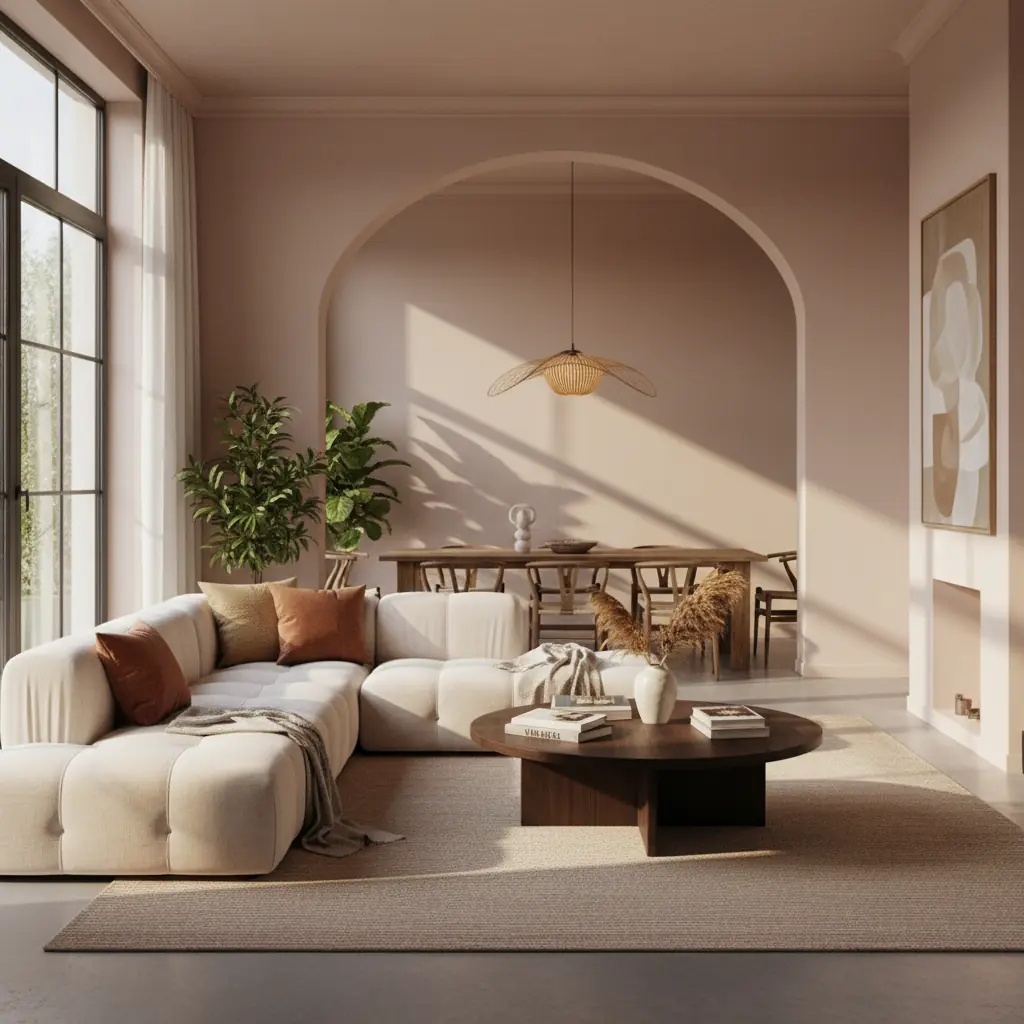
Por que a maioria das reformas de ambientes decepciona (e como a IA muda tudo)
O fascínio por um espaço lindamente transformado é inegável. Nós navegamos por infinitas inspirações nas redes sociais, sonhando com aquela sala de estar perfeita, um santuário de quarto sereno ou um home office altamente funcional. No entanto, o caminho da aspiração à realidade é frequentemente repleto de desafios. A principal razão pela qual as reformas de ambientes decepcionam é uma lacuna significativa entre a visão e a execução.
Você provavelmente já experimentou isso: você vê algo requintado no Pinterest ou Instagram, compra diligentemente itens semelhantes e, ainda assim, quando colocados em sua casa real, o ambiente não se parece em nada com a inspiração. As proporções estão erradas, as cores se chocam inexplicavelmente sob suas condições de iluminação únicas, e os novos móveis simplesmente não se encaixam no fluxo ou na escala do seu espaço. Isso não é um reflexo do seu gosto; é um obstáculo comum no planejamento de design tradicional. Pesquisas sugerem que até 30% dos projetos de reforma residencial estouram o orçamento, e uma parte significativa não atende às expectativas do proprietário. Isso geralmente decorre da falta de um plano claro e acionável e da incapacidade de realmente visualizar o resultado antecipadamente.
É precisamente aqui que as ferramentas de design de interiores com IA revolucionam o processo. Em vez de adivinhar ou depender de mood boards abstratos, a IA permite que você veja a transformação aplicada diretamente ao _seu ambiente real_. Não uma casa modelo, não um apartamento profissionalmente decorado, mas seu espaço com suas paredes, suas janelas e suas peculiaridades arquitetônicas existentes. Isso elimina a incerteza, permitindo que você itere nos designs até que sua visão seja perfeitamente traduzida.
Passo 1: Capturando Seu Espaço Atual para a Brilhante IA
A base de qualquer transformação de ambiente bem-sucedida impulsionada pela IA começa com uma entrada de alta qualidade: o estado atual do seu ambiente. A capacidade da IA de gerar designs realistas e precisos depende da clareza e abrangência das fotos que você fornece. Pense nisso como dar à IA sua tela.
Para preparar sua transformação para o sucesso, siga estas dicas detalhadas de fotografia:
- **Iluminação Ideal é Fundamental:** A luz natural do dia funciona melhor. Abra todas as cortinas e persianas para permitir o máximo de luz ambiente possível. Evite usar flash, que pode criar sombras duras e distorcer as cores. Se a luz natural for insuficiente, use iluminação artificial consistente e difusa (por exemplo, luzes de teto, lâmpadas sem brilho forte). - **Desordene Antes de Capturar:** Embora a IA possa remover móveis existentes, começar com um ambiente relativamente livre de desordem oferece uma tela mais limpa e a ajuda a entender melhor as verdadeiras dimensões e características arquitetônicas do ambiente. Remova pequenos itens, efeitos pessoais e qualquer coisa que distraia da estrutura do ambiente. - **Fotos Abrangentes de Grande Ângulo:** Capture o máximo possível do ambiente. Fotos de grande ângulo tiradas de portas ou cantos são ideais, pois fornecem à IA o maior contexto. Procure pelo menos uma foto que abranja uma parede inteira. Para ambientes maiores, considere tirar 2-3 fotos de grande ângulo sobrepostas que, juntas, mostrem todo o espaço. - **Múltiplas Perspectivas:** Não pare em um único ângulo. Tire fotos de diferentes cantos, mostrando várias paredes e suas características (janelas, portas, elementos embutidos). Isso dá à IA uma compreensão 3D mais robusta do seu ambiente. - **Mantenha Ângulos Nivelados:** Segure sua câmera (ou telefone) o mais nivelado possível. Evite ângulos extremos para cima ou para baixo, que podem distorcer as perspectivas e dificultar para a IA posicionar móveis com precisão ou entender as alturas das paredes. - **Foque na Arquitetura:** Certifique-se de que paredes, tetos e pisos estejam claramente visíveis. Se você tiver características arquitetônicas únicas, como sancas, boiseries ou vigas expostas, certifique-se de que estejam bem representadas.
Uma foto de alta qualidade atua como o projeto, permitindo que a IA compreenda a escala, a luz e os elementos existentes, que são cruciais para gerar designs que realmente se encaixam no _seu_ espaço.
Passo 2: Explorando Estilos Sem Compromisso – Por Que a IA Se Destaca
Depois de capturar seu ambiente, a verdadeira diversão começa: exploração ilimitada. É aqui que a IA realmente brilha, democratizando o processo de design ao eliminar adivinhações e erros caros. Você pode começar com uma noção preconcebida do que deseja – talvez uma estética Modern Farmhouse para sua sala de estar. Mas e se uma variante Japandi ou Mid-Century Modern trouxer mais alegria e funcionalidade ao seu espaço único?
Métodos de design tradicionais envolvem a compilação de mood boards, esboços ou até mesmo a contratação de designers para conceitos preliminares, um processo que pode levar semanas e incorrer em custos significativos. Enquanto um designer de interiores tradicional pode levar de 2 a 4 semanas para desenvolver conceitos iniciais e mood boards, plataformas de IA como Habitas podem gerar dezenas de variações de design personalizadas para seu ambiente em menos de 60 segundos. Essa velocidade permite uma experimentação sem precedentes.
- **Visualizações Instantâneas:** Faça upload da sua foto e gere redesigns em múltiplos estilos – da elegância minimalista Scandinavian ao charme rústico Coastal, das declarações ousadas Art Deco, ou ao aconchego confortável Bohemian. Ver essas opções lado a lado, aplicadas diretamente ao seu ambiente, é o caminho mais rápido e eficiente para a clareza e para descobrir suas verdadeiras preferências de design. - **Sem Riscos, Só Benefícios:** Experimente com paletas de cores ousadas, arranjos de móveis únicos ou até mesmo mudanças estruturais (como adicionar móveis embutidos) sem nenhum compromisso financeiro. Isso permite que você saia da sua zona de conforto e potencialmente descubra um estilo que não havia considerado. Para um mergulho mais profundo em várias estéticas, explore nosso guia sobre os [melhores estilos de design de interiores de 2026](/blog/best-interior-design-styles-2026). - **Compreendendo Escala e Ajuste:** Um dos maiores desafios no design tradicional é visualizar como novos móveis se encaixarão. A IA escala perfeitamente os itens propostos para as dimensões do seu ambiente, garantindo que o grande sofá modular que você ama não sobrecarregue seu espaço de estar menor ou que uma nova mesa de jantar deixe espaço suficiente para a circulação.
Esta fase exploratória é crucial para alinhar suas aspirações com as realidades do seu espaço, economizando tempo, dinheiro e potencial decepção no futuro.
Passo 3: Refinando Sua Visão em um Plano Concreto
Depois de ter selecionado alguns estilos preferidos ou elementos específicos, o próximo passo é refinar sua visão. Este processo iterativo é onde sua criatividade realmente se funde com a precisão da IA. O objetivo aqui é guiar a IA para que se aproxime o máximo possível do seu ambiente dos sonhos antes que qualquer mudança física comece.
- **design Iterativo com Prompts Específicos:** Não se contente com as primeiras gerações. Use palavras-chave específicas, frases descritivas e imagens de referência para guiar a IA. Por exemplo, em vez de apenas "sala de estar moderna", tente "sala de estar moderna com tons de madeira quentes, uma lareira minimalista e um grande sofá modular em um verde suave". Quanto mais específica for sua orientação, mais a IA se aproximará de sua visão a cada iteração. - **Aproveitando Mood Boards (Digitais e Físicos):** Embora a IA gere maquetes visuais, um mood board ajuda você a consolidar ideias, texturas e esquemas de cores. Mood boards digitais dentro da plataforma Habitas permitem que você arraste e solte elementos, enquanto boards físicos podem envolver os sentidos táteis com amostras de tecido e materiais. Você pode então alimentar essas ideias consolidadas de volta à IA como pontos de referência. - **Exploração de Paleta de Cores:** As cores podem alterar drasticamente o humor e a percepção do espaço de um ambiente. Experimente diferentes [geradores de paletas de cores com IA](/blog/ai-color-palette-generator) para ver como vários tons interagem com a luz natural do seu ambiente e os móveis propostos. Não pense apenas nas cores das paredes; considere como as cores de destaque em têxteis, arte e decoração contribuirão para o esquema geral. - **Preferências de Materiais e Texturas:** Especifique os materiais que você ama: "piso de carvalho", "sofá de veludo", "bancada de concreto", "cortinas de linho". A IA pode frequentemente incorporar essas texturas e acabamentos nas visualizações, dando-lhe uma sensação mais tátil do ambiente futuro. - **Incorporando Peças Existentes:** Se você tiver móveis, obras de arte ou itens sentimentais queridos que deseja manter, diga explicitamente à IA. Ela pode integrar essas peças em novos designs, garantindo que sua transformação pareça pessoal e respeite seus tesouros existentes. Este passo é sobre preencher a lacuna entre o que você tem e o que você quer, garantindo continuidade e evitando um visual "novo" completamente estéril.
Esta fase de refinamento transforma ideias amplas em um conceito de design altamente personalizado e detalhado, preparando o cenário para um planejamento acionável.
Passo 4: Elaborando o Plano de Execução – Seu Roteiro para a Realidade
Uma bela visualização de IA é um ponto de partida incrível, mas sem um plano de execução claro, ela permanece apenas uma imagem. O plano de execução gerado por plataformas como Habitas é seu roteiro indispensável, transformando uma imagem bonita em um ambiente tangível e real. É aqui que a estratégia encontra a logística, detalhando cada mudança necessária para dar vida à sua visão.
Um plano de execução abrangente inclui:
- **Lista de Mudanças Categorizadas:** Cada mudança proposta é meticulosamente listada e categorizada. Isso garante que nenhum elemento seja esquecido e ajuda a otimizar o processo de compra e implementação. - **Móveis:** Sofás, cadeiras, mesas, camas, unidades de armazenamento, prateleiras. - **Pintura e Revestimentos de Parede:** Cores de parede, paredes de destaque, papel de parede, painéis. - **Iluminação:** Luminárias (teto, chão, abajures), sistemas de iluminação inteligente, dimmers. - **Têxteis:** Tapetes, cortinas, mantas, almofadas, estofamento. - **Decoração e Acessórios:** Obras de arte, espelhos, plantas, objetos decorativos, vasos. - **Pisos:** Carpete, madeira, azulejo, laminado. - **Estrutural/Pequena Reforma:** Móveis embutidos, novas portas, atualizações de lareira (se aplicável e dentro do escopo). - **Níveis de Prioridade:** Nem tudo precisa acontecer de uma vez. O plano atribui prioridades para ajudá-lo a sequenciar as mudanças para máximo impacto e eficiência orçamentária. - **Essencial:** Mudanças fundamentais para o design (por exemplo, pintura, grandes peças de mobiliário). - **Recomendado:** Aprimoramentos que contribuem significativamente para a visão (por exemplo, luminárias chave, tapetes). - **Opcional:** Itens de decoração menores ou futuras atualizações que podem ser adicionadas ao longo do tempo. - **Níveis de Dificuldade:** Compreender o esforço envolvido é crucial para orçar o tempo e decidir entre DIY (Faça Você Mesmo) e ajuda profissional. - **Faça Você Mesmo Fácil:** Pintar, organizar a decoração, pendurar cortinas. - **Faça Você Mesmo Moderado:** Montar móveis, instalar luminárias simples. - **Necessidade de Ajuda Profissional:** Trabalho elétrico, carpintaria complexa, instalação de pisos, encanamento. - **Alternativas de Orçamento e Detalhamento de Custos:** Este é um componente crítico. O plano fornece custos estimados para cada item e frequentemente sugere alternativas de alto padrão, médio padrão e econômicas. Isso permite que você gerencie suas finanças de forma eficaz. Por exemplo, se sua visualização de IA inclui um sofá de design, o plano pode sugerir um estilo semelhante de um varejista mais acessível. Estudos indicam que um planejamento detalhado pode reduzir o estouro de orçamento em até 15-20% em projetos residenciais. Um [detalhamento de custo típico de um redesenho de quarto](/blog/bedroom-redesign-cost-breakdown) pode variar de R$5.000 para uma renovação cosmética a mais de R$50.000 para uma reformulação completa, e seu plano ajuda você a navegar por esses números. - **Listas de Compras com Links:** Sempre que possível, o plano pode vincular diretamente a produtos específicos ou itens semelhantes que correspondam ao design gerado por IA, simplificando sua experiência de compra. - **Sugestões de Cronograma:** Uma abordagem faseada com cronogramas sugeridos para cada etapa ajuda você a gerenciar expectativas e acompanhar o progresso.
Este plano de execução abrangente é o que realmente diferencia uma plataforma de design impulsionada por IA. Ele preenche a lacuna final, capacitando você a passar de uma bela imagem de "antes e depois" para uma realidade lindamente transformada com confiança e controle.
Passo 5: Executando Sua Transformação em Fases Estratégicas
O plano de execução fornece o "o quê", e agora passamos para o "como". Você não precisa lidar com tudo de uma vez, nem deveria. Executar a transformação do seu ambiente em fases oferece inúmeros benefícios: ajuda a gerenciar seu orçamento, economiza sua energia, permite que você viva com as mudanças antes de tomar outras decisões e permite que você sequencie as tarefas para obter o máximo impacto visual.
- **Priorize para Impacto:** Consulte os níveis de prioridade em seu plano de execução. Comece com as mudanças que oferecem a maior transformação visual com o menor custo ou esforço. - **Fase 1: Fundação (Pintura e Iluminação):** Esses elementos têm o impacto mais profundo na atmosfera e no tamanho percebido de um ambiente. Uma nova demão de tinta na sua paleta de cores escolhida pode instantaneamente revigorar um espaço. Aprimorar luminárias ou adicionar dimmers pode alterar dramaticamente o humor. Para um arranjo de móveis ideal dentro do seu espaço recém-pintado, considere usar uma [ferramenta de arranjo de móveis com IA](/blog/ai-furniture-arrangement-tool) desde o início para visualizar opções de layout. - **Fase 2: Móveis Grandes e Têxteis Principais:** Uma vez que os elementos fundamentais estejam no lugar, introduza as principais peças de mobiliário – sofá, cama, mesa de jantar. Estas definem a função do ambiente e ancoram o design. Siga com têxteis chave como tapetes, que unificam o espaço, e cortinas, que adicionam suavidade e controlam a luz. - **Fase 3: Móveis Menores e Elementos Funcionais:** Adicione mesas laterais, estantes, poltronas e armazenamento funcional. Essas peças se baseiam na fundação e aprimoram a usabilidade. - **Fase 4: Decoração e Personalização:** É aqui que seu ambiente realmente ganha vida. Adicione obras de arte, espelhos, plantas, objetos decorativos e toques pessoais. Esses elementos fornecem textura, cor e refletem sua personalidade. - **Gerenciamento de Orçamento:** O faseamento permite que você distribua os custos ao longo do tempo, evitando o estresse financeiro. Você pode economizar para compras maiores enquanto faz mudanças menores e impactantes nesse meio tempo. - **Mantendo a Coesão:** Como você está trabalhando a partir de um design coeso, gerado por IA, cada peça que você adiciona em cada fase torna o ambiente melhor e mais completo, em vez de mais desarticulado. Você está construindo em direção a um resultado harmonioso e predeterminado. - **Resolução de Problemas e Flexibilidade:** O faseamento também oferece oportunidades de ajuste. Talvez a cor da tinta pareça ligeiramente diferente com seus móveis reais do que na visualização, ou você encontre um negócio melhor em um tapete semelhante. Abordar esses pequenos ajustes no início do processo é mais fácil do que tentar consertar tudo de uma vez.
Esta abordagem estruturada garante que sua transformação progrida suavemente, construindo impulso e empolgação a cada fase concluída, culminando em um ambiente que combina perfeitamente com sua visão gerada por IA.
Além do Básico: Recursos Avançados de IA para Transformações Mais Profundas
Embora as etapas principais forneçam uma estrutura robusta, as plataformas modernas de design de interiores com IA como Habitas oferecem funcionalidades avançadas que expandem os limites do que é possível em uma transformação de ambiente. Esses recursos capacitam você a abordar desafios complexos de design e alcançar resultados ainda mais personalizados.
- **Troca Virtual de Materiais:** Além de simplesmente mudar as cores da tinta, a IA avançada permite que você troque virtualmente os materiais do piso (madeira para azulejo, carpete para laminado), experimente diferentes acabamentos de bancada ou até mesmo visualize vários estilos de portas de armário. Isso é inestimável para reformas que envolvem elementos fixos, permitindo que você visualize mudanças caras antes de se comprometer. - **design de Móveis Personalizados e Fornecimento:** Imagine precisar de uma mesa de console para um canto muito específico e estranho. Algumas ferramentas de IA podem gerar designs de móveis personalizados, adaptados às suas dimensões exatas e preferências estilísticas, sugerindo até mesmo potenciais fabricantes ou varejistas que oferecem serviços sob medida semelhantes. Isso é particularmente útil para maximizar o espaço em layouts desafiadores, ajudando você a encontrar [soluções para formatos de ambientes estranhos](/blog/awkward-room-shape-solutions). - **Teste A/B de Conceitos de design:** Para decisões cruciais, a IA pode apresentar dois conceitos de design ligeiramente diferentes lado a lado, permitindo que você compare e contraste facilmente o impacto de, por exemplo, uma parede de destaque escura versus uma parede mais clara e texturizada no mesmo espaço. Essa abordagem de design orientada por dados ajuda a confirmar suas preferências. - **Análise Preditiva de Iluminação:** A IA pode simular como diferentes esquemas de iluminação (natural e artificial) afetarão seu ambiente em vários horários do dia. Isso vai além de apenas colocar uma lâmpada; considera a temperatura da luz, a intensidade e o jogo de sombras para criar o ambiente desejado. - **Integração com Tecnologia de Casa Inteligente:** Visualizar recursos de casa inteligente como alto-falantes integrados, estações de carregamento ocultas ou persianas automatizadas diretamente em seus renders de design pode ajudá-lo a planejar um espaço à prova de futuro.
Esses recursos avançados vão além de simples reformas estéticas, permitindo transformações mais profundas, mais funcionais e verdadeiramente inovadoras que atendem a cada detalhe do seu estilo de vida.
O ROI de uma Transformação Bem Planejada
Além da gratificação estética imediata, uma transformação de ambiente cuidadosamente planejada e executada oferece um valor significativo a longo prazo. Não se trata apenas de deixar sua casa bonita; é sobre investir em seu estilo de vida e no futuro de sua propriedade.
- **Qualidade de Vida Aprimorada:** O retorno mais imediato do investimento é a alegria e o conforto diários derivados de um espaço adaptado às suas necessidades e preferências. Um ambiente bem projetado pode reduzir o estresse, melhorar a produtividade (em um home office), promover o relaxamento (em um quarto) e facilitar melhores interações sociais (em salas de estar ou jantar). Sua casa se torna um verdadeiro santuário, refletindo sua personalidade e apoiando seu bem-estar. - **Valorização do Imóvel:** Se você estiver pensando em vender sua casa no futuro, um interior moderno, coeso e esteticamente agradável pode aumentar significativamente seu apelo no mercado e o valor de revenda. Pequenas remodelações de banheiro podem oferecer um ROI médio de 60-70%, e uma transformação de sala de estar bem executada pode aumentar significativamente o valor percebido de uma casa, com casas decoradas frequentemente vendendo por 1-5% a mais do que as não decoradas. Os compradores estão frequentemente dispostos a pagar um prêmio por casas prontas para morar que se alinham às tendências de design atuais. - **Eficiência Funcional:** Uma transformação não é apenas sobre a aparência; é sobre otimizar o espaço. O planejamento com IA pode identificar ineficiências em seu layout atual e propor soluções que melhoram o fluxo, o armazenamento e a usabilidade. Isso significa menos desordem, navegação mais fácil e uma rotina diária mais otimizada. - **Economia a Longo Prazo:** Ao planejar meticulosamente com IA, você minimiza o risco de erros caros, retrabalho e compras impulsivas. Contratar um designer de interiores tradicional pode custar de R$375 a R$2.500 por hora ou 10-20% do orçamento total do projeto, enquanto as ferramentas impulsionadas por IA oferecem uma fração desse custo para visualizações e planos detalhados. Esse investimento inicial em planejamento se traduz em economias significativas ao longo do projeto. - **Bem-Estar Pessoal:** Seu ambiente impacta profundamente seu humor e estado mental. Um ambiente bonito, organizado e funcional pode reduzir a ansiedade, inspirar a criatividade e contribuir para a felicidade geral. A sensação de realização ao transformar seu espaço também pode ser um poderoso impulso psicológico.
Uma transformação de ambiente, especialmente uma guiada por ferramentas de planejamento inteligente, é mais do que apenas uma reforma; é um investimento estratégico na sua qualidade de vida e no valor da sua propriedade.
Comece Sua Transformação com Confiança
A jornada de um ambiente que você tolera para um espaço que você adora não precisa ser uma aposta. Com plataformas de design de interiores impulsionadas por IA como Habitas, a adivinhação é substituída pela certeza, a frustração pela liberdade criativa e o resultado decepcionante por um resultado deslumbrante garantido. Ao capturar meticulosamente seu espaço, explorar estilos infinitos sem compromisso, refinar sua visão com precisão e executar com um plano detalhado e faseado, você desbloqueia o verdadeiro potencial de sua casa.
É hora de preencher a lacuna entre seus sonhos de design e sua realidade deslumbrante. Comece sua transformação hoje e descubra como o processo pode ser fácil e gratificante quando impulsionado pelo design inteligente.
---
Perguntas Frequentes
### Quanto tempo leva uma transformação típica de ambiente?
A duração de uma transformação de ambiente varia significativamente com base no escopo, orçamento e se você está realizando tarefas de Faça Você Mesmo ou contratando profissionais. Uma renovação puramente cosmética (pintura, nova decoração) pode levar um fim de semana a alguns dias. Uma grande reformulação envolvendo novos móveis, pisos e iluminação pode levar de 2 a 4 semanas. Se mudanças estruturais ou elementos personalizados estiverem envolvidos, os projetos podem se estender por vários meses. As ferramentas de IA aceleram drasticamente a fase de planejamento e visualização, reduzindo o tempo gasto na tomada de decisões em semanas ou até meses em comparação com os métodos tradicionais.
### Qual o custo médio de uma reforma de ambiente?
O custo de uma reforma de ambiente é altamente variável. Uma renovação cosmética básica para uma sala de estar pode variar de R$2.500 a R$10.000 para pintura, novos têxteis e alguns itens de decoração. Uma transformação de médio porte, incluindo novos móveis, iluminação e um tapete, pode custar de R$10.000 a R$50.000. Para uma reformulação de luxo completa, incorporando móveis personalizados, materiais de alta qualidade e instalação profissional, os custos podem facilmente exceder R$50.000 a R$150.000+. As ferramentas de planejamento de IA ajudam você a criar um detalhamento de orçamento detalhado para sua visão específica, permitindo otimizar os gastos e encontrar alternativas.
### A IA pode realmente substituir um designer de interiores?
As ferramentas de design de interiores com IA não "substituem" totalmente os designers de interiores humanos, mas sim capacitam proprietários e designers. Para muitas pessoas, as plataformas de IA fornecem uma maneira incrivelmente acessível, econômica e rápida de visualizar, planejar e executar transformações que, de outra forma, exigiriam um investimento significativo em um designer humano. A IA se destaca na visualização rápida, gerando diversos estilos e criando planos de execução detalhados. No entanto, os designers humanos oferecem consultoria personalizada, gerenciamento de projetos para reformas complexas, busca por peças vintage únicas e uma compreensão sutil das personalidades e estilos de vida dos clientes que a IA atualmente não consegue replicar totalmente. São ferramentas complementares.
### Quão precisas são as visualizações de design de interiores com IA?
A precisão das visualizações de design de interiores com IA avançou significativamente. Com fotos de entrada de alta qualidade e prompts detalhados do usuário, a IA pode gerar renders altamente realistas que refletem com precisão escala, perspectiva, iluminação e texturas de materiais. A maioria das plataformas avançadas utiliza algoritmos sofisticados para entender as dimensões do seu ambiente e as relações espaciais, garantindo que os móveis e a decoração propostos se encaixem adequadamente. Embora possa haver pequenas variações de cor ou textura na vida real versus o render devido à calibração da tela e à iluminação do mundo real, o conceito geral e o layout são notavelmente precisos.
### Vale a pena transformar um ambiente se não pretendo vender minha casa?
Absolutamente. O valor de uma transformação de ambiente se estende muito além do potencial de revenda. Um ambiente bem projetado melhora significativamente sua qualidade de vida, conforto e prazer diário de sua casa. Pode reduzir o estresse, melhorar a funcionalidade, inspirar a criatividade e proporcionar um santuário mais personalizado, adaptado ao seu estilo de vida. Os benefícios psicológicos de viver em um espaço que realmente reflete seu gosto e apoia seu bem-estar são imensuráveis, tornando o investimento em sua casa atual valioso, independentemente de planos de venda futuros.