Costos de Armar un Home Office en 2026: Guía de Presupuesto, Funcional y Premium
Cuánto cuesta armar un home office en 2026 — desde un kit básico de $300 hasta un espacio de trabajo premium de más de $3,000, cubriendo todos los elementos esenciales.
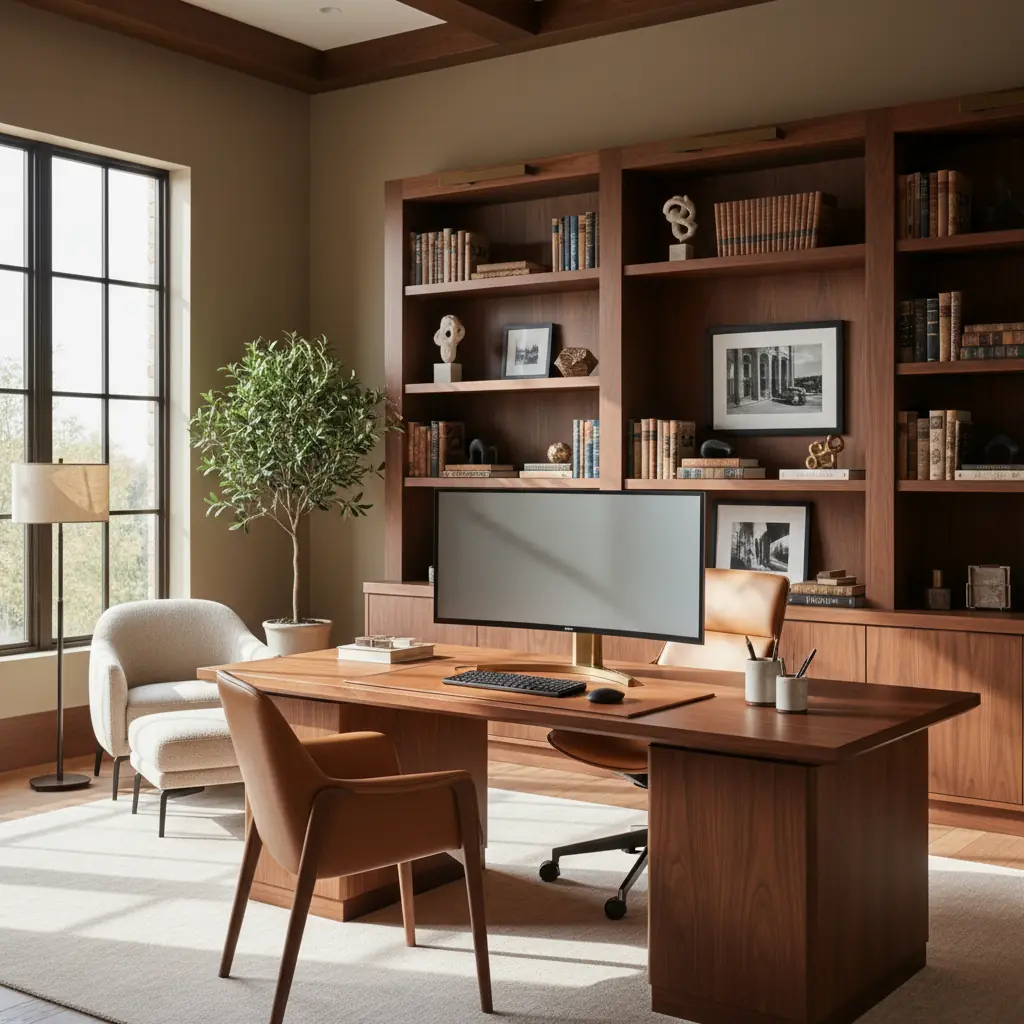
Por qué la configuración de tu home office es importante en 2026
El trabajo remoto e híbrido ya no es un experimento pandémico, es el estándar para millones de trabajadores del conocimiento en todo el mundo. Para 2026, se proyecta que más de 36.2 millones de estadounidenses trabajarán de forma remota, un asombroso aumento del 87% en comparación con los niveles prepandémicos. Este cambio generalizado subraya la importancia crítica de un home office dedicado y bien diseñado. Un espacio así impacta directamente tu productividad, fomenta una mejor postura y crea una separación mental crucial entre tu vida profesional y personal.
Sin embargo, a pesar de este cambio de paradigma, muchos profesionales aún se encuentran trabajando desde mesas de cocina, sofás o rincones estrechos con iluminación inadecuada y sin soporte ergonómico. Esto puede llevar a una disminución de la concentración, dolor crónico y límites borrosos que afectan el bienestar general. La buena noticia es que lograr un home office funcional y cómodo no requiere una inversión inicial masiva. La clave es priorizar los elementos que más afectan tu salud y productividad — tu silla ergonómica, el posicionamiento adecuado del monitor y una iluminación suficiente — y gastar menos en estética que puede mejorarse con el tiempo.
¿Cuánto cuesta un home office básico? La configuración inicial de $300
Un presupuesto de $300 cubre lo absolutamente esencial y nada más, centrándose en la ergonomía fundamental para prevenir la tensión. Con una planificación cuidadosa y un poco de espíritu "hágalo usted mismo", puedes establecer un espacio de trabajo sorprendentemente funcional.
**Inversiones Clave para el Nivel de $300:**
- **Escritorio ($80 - $120):** Busca opciones robustas de nivel de entrada. La combinación IKEA Lagkapten/Adils (una opción popular por su simplicidad y asequibilidad) o un escritorio de segunda mano encontrado en marketplaces como Facebook Marketplace o Craigslist son excelentes puntos de partida. Considera reutilizar una mesa de comedor antigua o incluso una consola resistente si ya tienes una. El objetivo es una superficie estable y de tamaño adecuado. - **Silla ($80 - $120):** Aquí es donde debes asignar una parte significativa de tu presupuesto. Si bien una silla ergonómica de primera línea está fuera de tu alcance, puedes encontrar opciones sorprendentemente de apoyo. La IKEA Markus es una silla de oficina económica ampliamente recomendada, conocida por su respaldo alto y soporte lumbar decente. Alternativamente, explora sillas de oficina reacondicionadas de liquidadores o tiendas de suministros de oficina, donde podrías encontrar un modelo de gama media suavemente usado con un gran descuento. Concéntrate en la altura ajustable del asiento y un soporte lumbar básico. - **Iluminación ($30 - $50):** Una buena lámpara de escritorio con brillo ajustable es crucial para reducir la fatiga visual. Los modelos LED son eficientes energéticamente y ofrecen diversas temperaturas de luz. Busca lámparas con brazos flexibles para dirigir la luz precisamente donde se necesita. - **Elevador de Monitor/Soporte para Laptop ($30 - $50):** Esto no es negociable para una buena postura. Un soporte para laptop o elevador de monitor lleva tu pantalla a la altura de los ojos, previniendo la tensión en el cuello y los hombros. Puedes encontrar soportes económicos de plástico o metal, o incluso apilar libros resistentes temporalmente.
En este nivel, es prudente omitir artículos de lujo como escritorios ajustables de pie o monitores ultrawide premium. Tu enfoque principal debe ser mantener una buena postura: asegúrate de que tu pantalla esté a la altura de los ojos, tus pies planos en el suelo (o en un reposapiés) y tus muñecas neutrales al escribir. Un simple reposamuñecas para teclado de $10 y una altura de pantalla adecuada pueden prevenir más problemas de salud que una silla de $1,500 utilizada incorrectamente.
**Consejo de Mejora:** Si ya tienes un escritorio y una silla adecuados, redirige esa parte de tu presupuesto hacia un monitor externo de calidad ($150 - $250 para un panel IPS de 24 pulgadas). Esta es, posiblemente, la mejora de productividad más grande para cualquiera que trabaje principalmente desde una laptop, aumentando significativamente el espacio en pantalla y reduciendo la fatiga visual.
Construyendo una configuración profesional: El espacio de trabajo funcional de $1,000
Aumentar el presupuesto a $1,000 te permite construir un espacio de trabajo que no solo se siente genuinamente profesional, sino que también mejora significativamente la comodidad y la productividad a largo plazo. Este nivel se centra en integrar una ergonomía más avanzada y componentes de calidad que ofrecen mayor durabilidad y experiencia de usuario.
**Inversiones Clave para el Nivel de $1,000:**
- **Escritorio de Altura Ajustable (Sit-Stand Desk) ($200 - $350):** Esto es un cambio radical para muchos. Opciones como el FlexiSpot E7 o IKEA Uppspel ofrecen ajuste de altura motorizado, lo que te permite cambiar fácilmente entre sentarte y ponerte de pie durante el día. Este simple cambio puede reducir los riesgos para la salud asociados con el estar sentado por periodos prolongados y aumentar los niveles de energía. - **Silla Ergonómica ($250 - $400):** Una silla ergonómica de calidad proporciona ajustabilidad integral y un soporte superior. Busca modelos como la HON Ignition 2.0, Branch Ergonomic Chair o una Steelcase Leap reacondicionada. Estas sillas ofrecen múltiples ajustes para el soporte lumbar, reposabrazos, profundidad del asiento y tensión de inclinación, lo que te permite ajustar tu posición de asiento para una comodidad y postura óptimas. Invertir en equipos ergonómicos puede reducir las tasas de lesiones musculoesqueléticas hasta en un 59%, lo que justifica este gasto. - **Monitor ($150 - $250):** Un monitor más grande de 27 pulgadas proporciona un amplio espacio en pantalla para la multitarea. Concéntrate en paneles IPS para una mejor precisión de color y ángulos de visión, crucial para tareas visuales. - **Brazo para Monitor ($50 - $80):** Un brazo para monitor libera valioso espacio en el escritorio y permite un posicionamiento preciso de tu pantalla, incluyendo altura, inclinación, giro y rotación. Esta flexibilidad es clave para mantener una ergonomía adecuada a la altura de los ojos, independientemente de tu postura sentada o de pie. - **Iluminación ($80 - $120):** Más allá de una lámpara de escritorio principal, considera una luz de sesgo (tira LED) colocada detrás de tu monitor. Esta suave luz ambiental reduce el contraste entre tu pantalla y el entorno circundante, disminuyendo significativamente la fatiga visual, especialmente durante largas horas. - **Accesorios ($50 - $150):** Este presupuesto cubre elementos organizativos cruciales y pequeñas comodidades: - **Organización de Cables ($20 - $30):** Una bandeja para cables montada debajo del escritorio y un juego de bridas de velcro mantendrán tu espacio de trabajo ordenado, evitarán cables enredados y facilitarán la limpieza. - **Alfombrilla de Ratón de Calidad ($20 - $30):** Una alfombrilla de ratón grande y cómoda (quizás con soporte para la muñeca) puede marcar una diferencia sorprendente en la comodidad a largo plazo. - **Accesorios de Organización:** Un estante de escritorio, una cajonera o incluso simples portalápices y organizadores de archivos pueden mantener tus elementos esenciales al alcance y tu escritorio libre de desorden. Herramientas como una [herramienta de organización de muebles con IA](/blog/ai-furniture-arrangement-tool) pueden ayudarte a visualizar cómo estos elementos encajan en tu espacio antes de comprarlos.
Esta configuración es similar a lo que normalmente encontrarías en una oficina corporativa bien equipada, ofreciendo una base sólida para una productividad constante y una salud a largo plazo.
La oficina premium de $3,000+: Invirtiendo en longevidad y máximo rendimiento
Un home office premium es una inversión en muebles y equipos diseñados para un rendimiento excepcional, durabilidad (cinco a diez años o más) y una estética que realmente inspira. Este nivel no se trata solo de funcionalidad; se trata de crear un entorno en el que realmente quieras trabajar, día tras día.
**Inversiones Clave para el Nivel de $3,000+:**
- **Escritorio Ajustable Premium (Sit-Stand Desk) ($500 - $900):** La pieza central de una oficina premium, estos escritorios cuentan con una calidad de construcción superior, motores silenciosos, mayor estabilidad en altura y a menudo vienen con ajustes preestablecidos programables. Marcas como Fully Jarvis, Uplift V2 o un tablero de madera maciza a medida sobre un marco motorizado de alta gama ofrecen tanto funcionalidad como un diseño sofisticado. - **Silla Ergonómica Premium ($800 - $1,500):** Esta es la inversión definitiva en tu salud y comodidad. Sillas como la Herman Miller Aeron, Steelcase Leap o Humanscale Freedom están diseñadas para una ajustabilidad extensa y un soporte a largo plazo, a menudo respaldadas por impresionantes garantías. Se adaptan a los movimientos de tu cuerpo, reduciendo los puntos de presión y previniendo el dolor crónico. El dolor de espalda es una de las principales causas de discapacidad en todo el mundo, con costos de atención médica y pérdida de productividad estimados en más de $100 mil millones anuales solo en EE. UU.; una silla de primera categoría puede ser una poderosa medida preventiva. - **Monitor(es) de Alta Resolución ($400 - $700):** Actualiza a un monitor 4K grande de 32 pulgadas para una claridad excepcional y espacio en pantalla, o un monitor ultra ancho para multitarea inmersiva. Muchos profesionales optan por una configuración de doble monitor para maximizar la productividad. - **Brazo para Monitor Premium ($100 - $150):** Un brazo robusto para monitor puede soportar monitores más pesados y grandes con ajuste sin esfuerzo, asegurando un posicionamiento ergonómico preciso. - **Webcam y Micrófono de Calidad ($100 - $200):** Para videollamadas frecuentes, una webcam dedicada (ej. Logitech Brio) y un micrófono externo (ej. Blue Yeti o Rode NT-USB Mini) mejoran significativamente tu calidad de audio y video, creando una impresión profesional. - **Acondicionamiento Acústico ($100 - $300):** Si el ruido es un problema, considera paneles acústicos para paredes o techo, o un elegante divisor de ambientes para crear una zona más tranquila y concentrada. Esto es particularmente importante para quienes viven en hogares o apartamentos de planta abierta. - **Iluminación de Tarea y Ambiental Dedicada ($150 - $300):** Más allá de una simple lámpara de escritorio, integra un esquema de iluminación más sofisticado. Esto podría incluir una lámpara de escritorio inteligente con luz blanca ajustable, bombillas inteligentes para iluminación ambiental de la habitación y quizás una barra de luz LED para retroiluminación del monitor. - **Personalización y Confort ($250 - $500+):** Este presupuesto restante transforma un espacio funcional en un santuario personal. - **Estanterías y Almacenamiento:** Unidades de estanterías personalizadas o modulares mantienen libros, archivos y artículos personales organizados y exhibidos con elegancia. - **Arte y Decoración:** Obras de arte cuidadosamente seleccionadas, piezas escultóricas u objetos decorativos reflejan tu personalidad e inspiran creatividad. - **Plantas:** Incorporar plantas (consulta nuestra guía sobre las [mejores plantas para diseño de interiores](/blog/best-plants-for-interior-design)) añade vida, mejora la calidad del aire y se ha demostrado que reduce el estrés hasta en un 37%. - **Accesorios Ergonómicos:** Considera una tabla de equilibrio de alta calidad o una alfombrilla antifatiga para tu escritorio de pie, o un teclado y ratón avanzados adaptados a tus necesidades. - **Integración de Casa Inteligente:** Integra enchufes inteligentes para la iluminación o un termostato inteligente para el control de la temperatura para optimizar tu entorno sin esfuerzo.
Un espacio de oficina bien diseñado puede aumentar la productividad hasta en un 20% y reducir los errores en un 10%, lo que destaca el retorno de inversión tangible para una configuración premium. Este es un espacio diseñado para la comodidad, la concentración y la expresión personal a largo plazo.
Más allá de lo básico: Periféricos esenciales y costos ocultos
Aunque los muebles y la tecnología principales son críticos, un home office verdaderamente funcional a menudo implica gastos adicionales, a veces pasados por alto. Presupuestar estos garantiza que tu configuración esté realmente completa y sin complicaciones.
- **Actualización de Conexión a Internet:** Si compartes el ancho de banda con tu hogar, un plan de internet más rápido y confiable podría ser necesario para soportar videollamadas y trabajo basado en la nube sin interrupciones. Esto podría ser un extra de $20 a $50 por mes. - **Gestión de Energía:** Invierte en protectores de sobretensión de calidad para proteger tus valiosos aparatos electrónicos. Para trabajos críticos, un UPS (Sistema de Alimentación Ininterrumpida) puede proporcionar respaldo de batería durante cortes de energía, evitando la pérdida de datos – espera pagar entre $70 y $200. - **Soluciones de Almacenamiento (Digital y Físico):** Más allá de los cajones físicos, considera suscripciones de almacenamiento en la nube (ej. Dropbox, Google Drive) o discos duros externos para copias de seguridad locales. Archivadores físicos o atractivas cajas de almacenamiento son esenciales para documentos. - **Software y Suscripciones:** Ten en cuenta los costos de software de productividad, aplicaciones especializadas, VPNs o herramientas de colaboración no cubiertas por tu empleador. - **Suministros de Oficina:** Bolígrafos, papel, tinta de impresora (si tienes una impresora), cuadernos, notas adhesivas – estos pequeños costos se suman. - **Seguridad:** Una cerradura segura para la puerta de tu oficina si se almacenan documentos sensibles, o incluso una trituradora para papeles confidenciales. - **Servicios Públicos:** Un home office dedicado puede aumentar ligeramente tu factura de electricidad, especialmente si añades más monitores, computadoras potentes o calefacción/refrigeración específica para ese espacio.
Deducciones fiscales y el ROI de las inversiones ergonómicas
Si eres trabajador autónomo, freelancer o tienes un negocio desde tu home office, muchas compras de muebles y equipos son típicamente deducibles de impuestos como gastos de negocio. Para 2026, la deducción simplificada para home office te permite deducir $5 por pie cuadrado, hasta un máximo de 300 pies cuadrados ($1,500 máximo). El método regular, aunque más complejo, te permite deducir gastos reales (como una porción de alquiler, servicios públicos, seguros y depreciación) proporcionalmente al porcentaje de la superficie total de tu hogar que ocupa tu oficina. Consulta con un profesional de impuestos para entender qué método es mejor para tu situación.
Más allá de los incentivos financieros, las inversiones ergonómicas ofrecen un profundo retorno de inversión en tu salud y bienestar. Una silla de calidad previene el dolor de espalda crónico, un monitor correctamente posicionado previene la tensión en el cuello y los dolores de cabeza, y un escritorio de altura ajustable reduce los riesgos para la salud asociados con el estar sentado por periodos prolongados, como enfermedades cardiovasculares y diabetes tipo 2. Se ha demostrado que el acceso a la luz natural mejora el estado de ánimo y el rendimiento cognitivo en un 15%. Si solo puedes invertir en un artículo premium para tu home office, que sea la silla — tu espalda te lo agradecerá durante años, potencialmente ahorrándote costos médicos significativos y pérdida de productividad a largo plazo.
Diseñando tu oficina para la productividad y el bienestar con Habitas
Más allá de los muebles y la tecnología tangibles, el diseño bien pensado de tu espacio de oficina impacta profundamente tu concentración, creatividad y bienestar general. No se trata solo de lo que compras, sino de cómo lo organizas y personalizas.
- **Optimización de la Luz Natural:** Posiciona tu escritorio para que mire hacia una ventana si es posible. La luz natural reduce la fatiga visual, mejora el estado de ánimo y ayuda a regular tu ritmo circadiano. Si la luz natural es limitada, usa una lámpara de escritorio con temperatura de luz diurna (5000K a 6500K) durante las horas de trabajo para imitar la luz natural y aumentar el estado de alerta. Cambia a luz cálida (2700K a 3000K) por la noche para preparar tu cuerpo para el descanso. - **Psicología del Color:** Los colores pueden influir dramáticamente en el estado de ánimo y la productividad. Los verdes y azules pueden evocar calma y concentración, mientras que toques de amarillo o naranja podrían estimular la creatividad. Considera una [guía de diseño biofílico](/blog/biophilic-design-guide) para integrar colores y elementos naturales. - **Orden y Organización:** Un espacio de trabajo limpio y organizado reduce el desorden mental y mejora la concentración. Incorpora soluciones de almacenamiento inteligentes y haz el hábito de ordenar al final de cada jornada laboral. - **Toques Personales:** Rodéate de objetos que te inspiren – plantas, fotos enmarcadas, obras de arte u objetos significativos. Estos elementos hacen que el espacio sea únicamente tuyo y contribuyen a un ambiente de trabajo positivo. - **Fluidez y Zonificación:** Incluso en un espacio pequeño, considera cómo puedes crear diferentes "zonas" – una zona de trabajo, una zona de relajación (incluso solo un sillón cómodo) y una zona de almacenamiento. Esta separación mental y física ayuda a la concentración.
Antes de realizar compras significativas, visualiza diferentes distribuciones y estilos para tu home office. Herramientas como Habitas aprovechan la IA para transformar la foto real de tu habitación con varios estilos de diseño de interiores, organización de muebles y paletas de colores. Ver tu espacio real transformado con un escritorio mid-century, estantes de pared y una iluminación cálida versus una configuración minimalista Scandinavian, te ayuda a decidir una dirección que coincida tanto con tus necesidades de trabajo como con tu estética personal. Esta previsión evita el problema común de acumular lentamente muebles que no combinan, algo que sufren muchos home offices, asegurando que tu inversión sea cohesiva y optimizada desde el primer día. Nuestros [diseños de habitaciones generados por IA](/blog/ai-generated-room-designs-realistic) proporcionan vistas previas realistas, ahorrándote tiempo y dinero.
Preguntas Frecuentes
### ¿Cuál es el artículo más importante para invertir en un home office, independientemente del presupuesto?
Sin duda, la inversión más crítica para cualquier home office es una silla ergonómica. Si bien un modelo de gama alta es ideal, incluso una silla económica con buen soporte lumbar y altura ajustable marcará una diferencia significativa. Tu silla impacta directamente tu postura, comodidad y salud de la columna a largo plazo. Después de la silla, un monitor correctamente posicionado (a la altura de los ojos) es la siguiente prioridad para prevenir la tensión en el cuello y la fatiga visual.
### ¿Realmente puedo configurar un home office funcional por solo $300?
Sí, es totalmente posible configurar un home office funcional por $300, pero requiere una planificación cuidadosa del presupuesto y priorizar lo esencial. Concéntrate en un escritorio básico pero estable, una silla operativa de apoyo (incluso si es de segunda mano), una iluminación de tarea adecuada y una forma de elevar tu monitor o laptop a la altura de los ojos. Probablemente necesitarás ser ingenioso para encontrar ofertas y posiblemente usar artículos que ya posees. El énfasis está en la ergonomía fundamental sobre las características avanzadas o la estética.
### ¿Cómo ayuda una plataforma de diseño de interiores con IA como Habitas en la planificación de un home office?
Habitas simplifica la planificación de un home office al permitirte visualizar cambios de diseño en las fotos reales de tu habitación utilizando IA. En lugar de adivinar cómo podría verse un nuevo escritorio, silla o esquema de color, puedes subir una foto de tu espacio y generar instantáneamente varios conceptos de diseño. Esto incluye diferentes arreglos de muebles, aplicaciones de estilo (ej. minimalista, mid-century modern) e incluso sugerencias de [generador de paletas de colores con IA](/blog/ai-color-palette-generator). Esto te ayuda a tomar decisiones informadas, asegurando que tus compras se ajusten a tu espacio y preferencias estéticas antes de gastar dinero, previniendo errores costosos y elementos que no combinan.
### ¿Vale la pena invertir en un escritorio de altura ajustable (standing desk) para un home office?
Para muchos, un escritorio de altura ajustable (standing desk) vale absolutamente la inversión, especialmente si pasas largas horas trabajando. Te permite cambiar fácilmente entre sentarte y ponerte de pie, lo que puede aliviar el dolor de espalda, mejorar la circulación, aumentar los niveles de energía y reducir los riesgos para la salud asociados con el estar sentado por periodos prolongados. Si bien es un costo inicial mayor, los beneficios para la salud a largo plazo y el potencial aumento de la productividad a menudo superan el gasto. Incluso un presupuesto de $1,000 puede incluir cómodamente un escritorio de altura ajustable de buena calidad.
### ¿Los gastos de home office siguen siendo deducibles de impuestos en 2026?