Cómo Curar una Pared de Galería de Arte Digital con Integración de IA
Aprende a transformar tu espacio vital con una dinámica pared de galería de arte digital utilizando herramientas de curación de IA y tecnología de pantallas inteligentes.
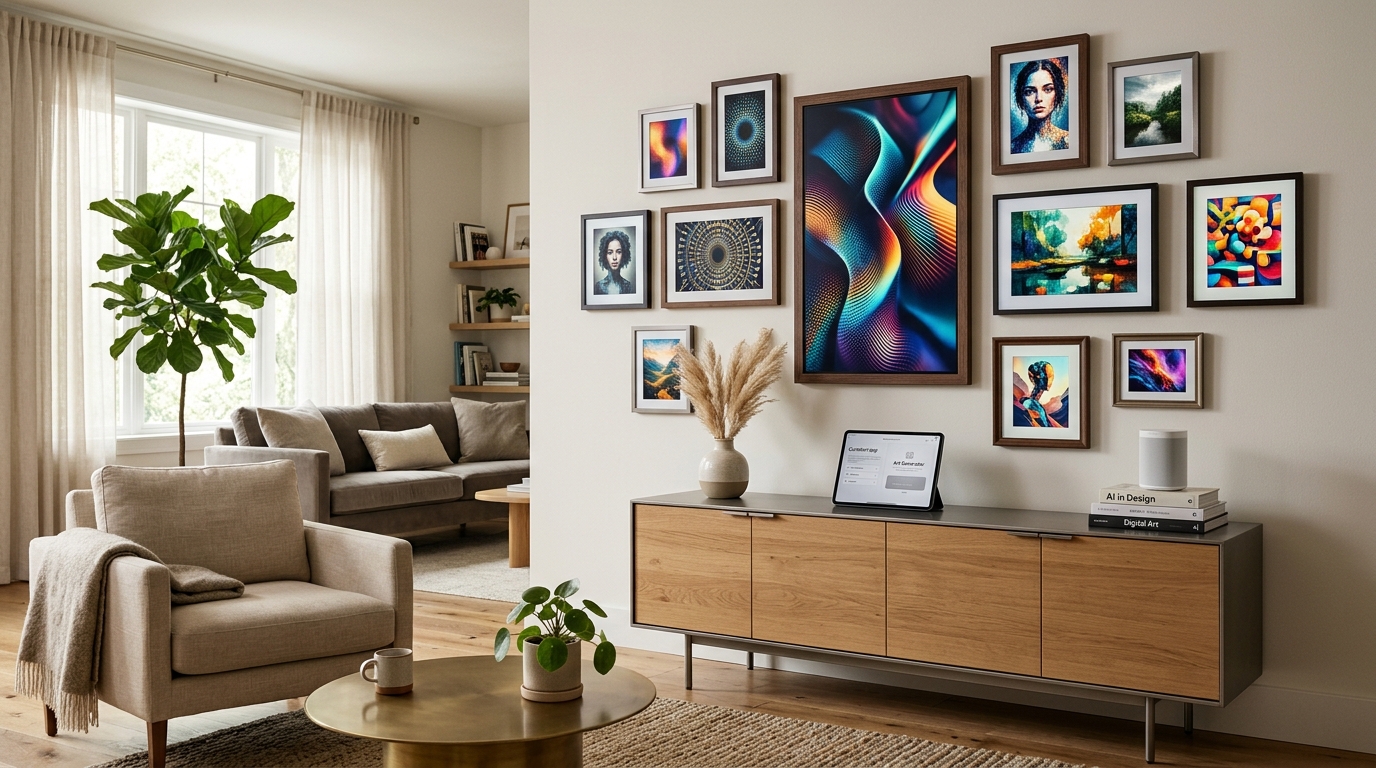
¿Qué define una galería de arte digital moderna?
Una pared de galería de arte digital es una colección de pantallas de alta resolución —que van desde monitores de arte dedicados como el Meural o Samsung Frame hasta paneles OLED ultrafinos— dispuestas en un diseño cohesivo. A diferencia del arte tradicional, estas pantallas pueden ciclar a través de miles de piezas, mostrar arte en movimiento (NFTs) o incluso exhibir piezas generativas de IA que cambian en tiempo real según los datos ambientales.
El aspecto "moderno" proviene de la integración. En 2026, una galería digital no solo está "encendida" o "apagada". Es sensible al contexto. Utiliza sensores para ajustar el brillo según la luz ambiental de la habitación y emplea IA para seleccionar imágenes que complementan la paleta de colores actual de tus muebles. Si tienes dificultades para encontrar un punto de partida para la estética de tu habitación, usar un [generador de paletas de colores con IA](/blog/ai-color-palette-generator) puede ayudarte a establecer los tonos base que tu arte digital debería reflejar.
¿Por qué usar IA para la curación de arte en 2026?
El inmenso volumen de arte digital disponible hoy en día es abrumador. Entre los archivos de museos globales, artistas digitales independientes y contenido generado por IA, ¿cómo eliges qué exhibir? Aquí es donde la curación con IA se vuelve esencial.
Las plataformas de curación impulsadas por IA analizan tu diseño interior existente, tus preferencias pasadas e incluso la "vibra" de tu hogar para sugerir piezas de arte. En lugar de navegar por interminables bibliotecas, puedes alimentar a un asistente de IA con una foto de tu habitación, y este te sugerirá una "lista de reproducción" de arte. En Habitas, vemos que los usuarios confían cada vez más en estos algoritmos inteligentes para mantener un aspecto fresco sin la "fatiga por decisiones" que a menudo acompaña a la decoración digital.
Además, la IA puede ayudar con la curación técnica. Puede escalar automáticamente impresiones antiguas de baja resolución a una claridad 8K, asegurando que una versión digital de una pintura al óleo del siglo XIX se vea tan texturizada y real como la original.
Eligiendo el hardware adecuado: TV The Frame vs. pantallas OLED
Antes de comenzar a curar, debes decidir sobre tu "lienzo". El mercado en 2026 ofrece tres caminos principales:
1. **Televisores de Arte Especializados:** Cuentan con pantallas mate y antirreflejos diseñadas específicamente para imitar el papel o el lienzo. Son el estándar de oro para la tecnología "sigilosa". 2. **Monitores OLED Profesionales:** Ofrecen los negros más profundos y los colores más vibrantes, lo que los hace ideales para arte digital moderno de alto contraste o gráficos en movimiento. 3. **Lienzos Digitales:** Compañías como Leon y Meural ofrecen pantallas enmarcadas con control gestual integrado y suscripciones de arte dedicadas.
Según los datos de electrónica de consumo de 2025, el costo promedio de una pared de galería tradicional de 10 piezas (incluyendo enmarcado profesional, impresión y montaje) ronda los $1,800 USD. En contraste, una pantalla de arte digital de alta calidad de 55 pulgadas comienza en aproximadamente $1,100 USD. Si bien el costo inicial de la tecnología es más alto que el de una sola impresión, el "costo por apariencia" disminuye significativamente a medida que obtienes acceso a millones de obras de arte.
Paso a paso: Cómo usar IA para curar tu colección
El proceso de construcción de tu galería debe ser tanto creativo como sistemático. Así es como se integra la IA en el flujo de trabajo:
**Paso 1: Define tu ADN Estético.** Utiliza una herramienta de indicaciones de IA para describir tu ambiente deseado. Por ejemplo: "Mid-century modern con un toque de minimalismo japonés y acentos verde bosque".
**Paso 2: Sincroniza con el Diseño de tu Habitación.** Antes de perforar agujeros, utiliza [diseños de habitaciones generados por IA](/blog/ai-generated-room-designs-realistic) para visualizar cómo los diferentes tamaños de pantalla impactarán la fluidez de tu espacio. Esto evita el "efecto de agujero negro" donde una pantalla parece demasiado grande o imponente para la pared.
**Paso 3: Curación Algorítmica.** Utiliza un servicio que se conecte a tu pantalla y permita la "Sincronización de Estilo". Esta función de IA monitorea el uso de tu habitación y sugiere arte más tranquilo y monocromático por las mañanas y piezas más vibrantes y enérgicas durante las horas sociales.
Diseño a escala y proporción
Uno de los mayores errores en las paredes de galería digital es una escala inadecuada. Una regla general común en el diseño de interiores es la "regla de las 57 pulgadas", donde el centro de tu arte (o tu pantalla principal) debe estar a 57 pulgadas del suelo.
Al mezclar pantallas digitales con objetos físicos —una tendencia conocida como "Pared Híbrida"— la proporción es aún más crítica. Podrías tener una gran pantalla digital de 43 pulgadas flanqueada por cuatro litografías físicas más pequeñas. Las herramientas de diseño con IA ahora pueden calcular el "equilibrio geométrico" perfecto para estas paredes de medios mixtos, asegurando que la emisión de luz de la pantalla no domine las piezas físicas.
El papel de la iluminación en las exhibiciones de arte digital
La iluminación es el factor "decisivo" para el arte digital. Si tu pantalla tiene demasiado reflejo, la ilusión de "arte real" se rompe. La integración moderna de la IA puede resolver esto a través de protocolos de domótica. Al conectar tu galería digital a una [simulación de iluminación con IA](/blog/ai-lighting-simulation-day-to-night), las bombillas inteligentes de tu hogar pueden atenuarse o cambiar la temperatura de color para que coincida con el arte de la pared.
Si tu galería digital está mostrando un atardecer sobre el Mediterráneo, la iluminación ambiental de tu habitación puede cambiar a un ámbar cálido de 2700K. Esto crea un ambiente inmersivo que transforma toda la habitación en una obra de arte.
Gestionando tus activos digitales y suscripciones
En 2026, el modelo de "Arte como Servicio" (AaS) es dominante. Las suscripciones a museos digitales como el Louvre o el MoMA te permiten transmitir obras maestras de alta definición directamente a tu pared.
- **Dato:** El mercado global de suscripciones de arte digital creció un 22% en 2025, ya que más propietarios optaron por "colecciones rotativas" en lugar de la propiedad permanente. - **Dato:** Los marcos digitales de alta definición en 2026 ahora cuentan con modos "E-Ink" de bajo consumo para arte estático, reduciendo el consumo de energía hasta en un 60% en comparación con las pantallas LCD estándar.
La gestión de estos activos requiere un centro de control. La mayoría de las aplicaciones modernas de diseño de interiores con IA ahora incluyen una sección de "Gestor de Medios" donde puedes programar tu calendario de arte con meses de anticipación.
Incorporando arte generado por IA para la personalización
El nivel máximo de curación es crear el arte tú mismo. Usando herramientas generativas de IA, puedes crear piezas que sean matemáticamente perfectas para tu espacio. Si tienes una tela específica en tu sofá, puedes tomarle una foto, subirla a un generador de IA y pedirle que "cree una pintura expresionista abstracta usando estos códigos hexadecimales y texturas exactas".
Esto asegura que tu galería digital sea 100% única. Para ver cómo estas herramientas generativas se comparan con el renderizado 3D tradicional o el bocetado, consulta nuestra [comparación de IA de imagen a modelo 3D](/blog/ai-image-to-3d-model-comparison) para comprender la profundidad y la textura que la IA puede lograr ahora.
¿Cuánto cuesta una pared de galería digital?
Presupuestar una pared digital requiere una mentalidad diferente a la de la decoración tradicional. Aquí hay un desglose de los costos esperados en 2026:
- **Nivel de Entrada (Un solo TV The Frame):** $900 - $1,300 USD. - **Gama Media (1 pantalla grande + 2 marcos digitales pequeños):** $2,000 - $3,500 USD. - **Alta Gama (Pared de arte OLED multipanel con integración de IA):** $7,000 - $15,000+ USD.
Si bien la inversión es significativa, la flexibilidad no tiene paralelo. Un coleccionista tradicional gastaría decenas de miles de dólares para lograr la variedad que una configuración digital de $3,000 USD proporciona en una sola tarde. Si estás sopesando los pros y los contras de estas inversiones tecnológicas, nuestra guía de [aplicaciones de diseño de interiores con IA comparadas para 2026](/blog/ai-interior-design-apps-compared-2026) podría serte útil para elegir el software adecuado para gestionar tu configuración.
Errores comunes a evitar al pasarse a lo digital
Incluso con la ayuda de la IA, se requiere intuición humana para evitar un aspecto "comercial". Evita estas trampas comunes:
1. **Demasiado Movimiento:** Evita el arte en video de alta intensidad en las áreas de estar. Puede ser distractor y causar "ruido visual". Limítate a cinemagrafías de movimiento lento o imágenes estáticas. 2. **Cables Visibles:** Nada arruina la magia de una galería digital más rápido que un cable de alimentación colgando. Siempre planifica la gestión de cables "detrás de la pared" o usa cables transparentes especializados "One Connect". 3. **Brillo Uniforme:** El arte real no brilla. Asegúrate de que tu configuración de IA esté en "Atenuación Automática" para que el brillo de la pantalla nunca exceda el nivel de luz de la pared circundante. 4. **Descuidar el Marco:** Incluso una pantalla digital necesita un marco físico. Los marcos de madera personalizados que se ajustan al bisel de tu televisor pueden hacerlo indistinguible de una pieza de arte tradicional.
El Futuro del Lienzo Digital
A medida que nos acercamos al final de la década, la pared de galería digital se integrará aún más. Ya estamos viendo el auge de las pantallas con "textura precisa" que utilizan tecnología háptica para imitar el aspecto del empaste de pintura al óleo o el grano de la acuarela. Habitas se mantiene a la vanguardia de esta transición, ayudando a los usuarios a cerrar la brecha entre el "hogar inteligente" y el "hogar con alma".
Al adoptar la curación con IA, no solo estás decorando una pared; estás instalando una ventana a las mejores galerías del mundo, adaptada específicamente a tu gusto único y entorno de vida.
---
Preguntas Frecuentes: Paredes de Galería de Arte Digital
### ¿Cómo oculto los cables para una galería digital de varias pantallas?
El mejor método es instalar una caja multimedia empotrada (como una caja Legrand o Arlington) detrás de la ubicación de la pantalla principal. Para configuraciones de varias pantallas, los sistemas de distribución de energía de bajo voltaje pueden permitirte pasar cables de alimentación delgados a través de la tablaroca hasta una fuente de alimentación central ubicada en un armario o mueble.
### ¿Mantener una pared de arte digital encendida todo el día consume mucha electricidad?
Las pantallas modernas con "Modo Arte" son altamente eficientes. Un TV The Frame de 55 pulgadas en modo arte suele consumir entre 30 y 50 vatios, lo que equivale aproximadamente a unas pocas bombillas LED. Usar sensores de movimiento impulsados por IA para encender las pantallas solo cuando hay alguien en la habitación puede reducir aún más los costos de energía.
### ¿Puedo mostrar mis propias fotos en una pared de galería digital?
Sí, la mayoría de las plataformas te permiten subir fotos personales a través de una aplicación. Sin embargo, para mantener una sensación de "galería", se recomienda pasar tus fotos personales por un filtro "pictórico" de IA para darles una textura y estética consistentes que coincidan con el arte profesional de tu colección.
### ¿En qué se diferencia la curación con IA de una presentación de diapositivas estándar?
Una presentación de diapositivas es lineal y aleatoria. La curación con IA es contextual. Utiliza la "Visión por Computadora" para ver los niveles de luz en tu habitación, el "Análisis Predictivo" para comprender tu estado de ánimo según la hora del día y el "Etiquetado Semántico" para asegurar que las piezas de arte transicionadas tengan un flujo lógico en color, tema o historia.
### ¿Es el arte digital una buena inversión en comparación con el arte físico?
Desde la perspectiva del valor de la propiedad, una galería digital integrada se considera una característica de "hogar inteligente" de alta gama que puede aumentar el atractivo de reventa. Desde un punto de vista puramente coleccionable, el arte físico todavía tiene más potencial de apreciación, pero el arte digital (especialmente los NFTs de edición limitada o los archivos digitales con licencia) es una clase de activo de rápido crecimiento.