Custos de Montagem de Home Office em 2026: Guia Essencial, Funcional e Premium
Quanto custa montar um home office em 2026 — de um kit inicial de $300 a um espaço de trabalho premium de mais de $3.000, cobrindo todos os elementos essenciais.
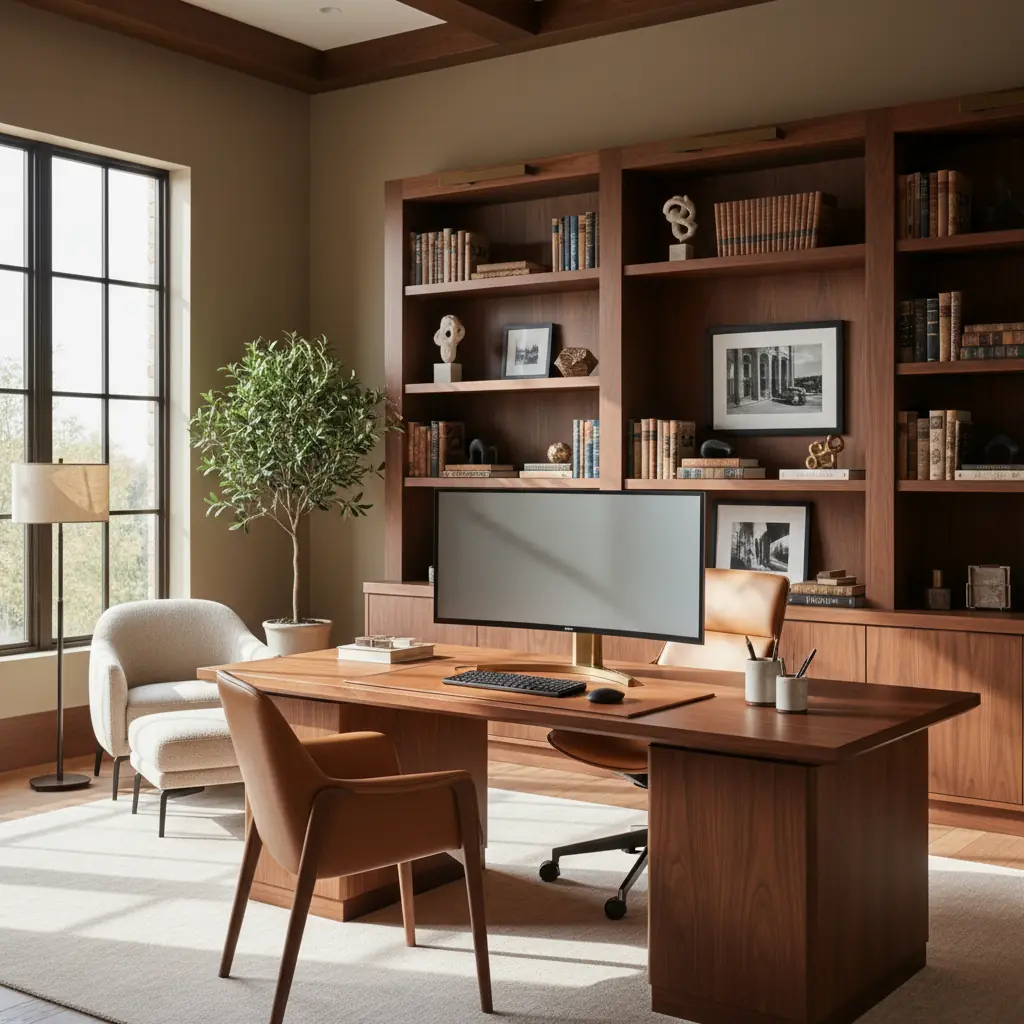
Por que seu setup de home office importa em 2026
O trabalho remoto e híbrido não é mais um experimento pandêmico — é o padrão para milhões de trabalhadores do conhecimento em todo o mundo. Até 2026, projeta-se que mais de 36,2 milhões de americanos estarão trabalhando remotamente, um aumento impressionante de 87% em comparação com os níveis pré-pandemia. Essa mudança generalizada ressalta a importância crítica de um home office dedicado e bem projetado. Um espaço assim impacta diretamente sua produtividade, promove uma postura melhor e cria uma separação mental crucial entre sua vida profissional e pessoal.
No entanto, apesar dessa mudança de paradigma, muitos profissionais ainda se veem trabalhando em mesas de cozinha, sofás ou cantos apertados com iluminação inadequada e sem suporte ergonômico. Isso pode levar à diminuição do foco, dor crônica e limites borrados que afetam o bem-estar geral. A boa notícia é que ter um home office funcional e confortável não exige um investimento inicial massivo. A chave é priorizar os itens que mais afetam sua saúde e produtividade — sua cadeira ergonômica, posicionamento adequado do monitor e iluminação suficiente — e gastar menos com a estética, que pode ser aprimorada com o tempo.
Quanto custa um home office básico? O setup inicial de $300
Um orçamento de $300 cobre o essencial e nada mais, focando na ergonomia fundamental para prevenir tensões. Com planejamento cuidadoso e um pouco de espírito DIY, você pode estabelecer um espaço de trabalho surpreendentemente funcional.
**Investimentos Chave para a Categoria de $300:**
- **Mesa ($80 - $120):** Procure opções robustas de nível básico. A combinação IKEA Lagkapten/Adils (uma escolha popular pela sua simplicidade e acessibilidade) ou uma mesa de segunda mão encontrada em marketplaces como Facebook Marketplace ou Craigslist são excelentes pontos de partida. Considere reciclar uma mesa de jantar antiga ou até mesmo uma mesa de console resistente se você já tiver uma. O objetivo é uma superfície estável e de tamanho adequado. - **Cadeira ($80 - $120):** É aqui que você deve alocar uma parte significativa do seu orçamento. Embora uma cadeira ergonômica de primeira linha esteja fora de alcance, você pode encontrar opções surpreendentemente confortáveis. A IKEA Markus é uma cadeira de trabalho econômica amplamente recomendada, conhecida por seu encosto alto e suporte lombar decente. Alternativamente, explore cadeiras de escritório reformadas de liquidadores ou lojas de material de escritório, onde você pode encontrar um modelo de gama média usado suavemente com um grande desconto. Foque em altura de assento ajustável e suporte lombar básico. - **Iluminação ($30 - $50):** Uma boa luminária de mesa com brilho ajustável é crucial para reduzir a fadiga ocular. Modelos de LED são energeticamente eficientes e oferecem várias temperaturas de luz. Procure lâmpadas com braços flexíveis para direcionar a luz exatamente onde for necessário. - **Suporte para Monitor/Laptop ($30 - $50):** Isso é inegociável para uma boa postura. Um suporte para laptop ou monitor eleva sua tela ao nível dos olhos, prevenindo tensões no pescoço e ombros. Você pode encontrar suportes de plástico ou metal baratos, ou até mesmo empilhar livros resistentes temporariamente.
Nesta categoria, é sensato pular itens de luxo como mesas com ajuste de altura (standing desks) ou monitores ultrawide premium. Seu foco principal deve ser em manter uma boa postura: certifique-se de que sua tela esteja ao nível dos olhos, seus pés estejam planos no chão (ou em um apoio para os pés) e seus pulsos estejam neutros ao digitar. Um simples apoio de pulso de teclado de $10 e a altura adequada da tela podem prevenir mais problemas de saúde do que uma cadeira de $1.500 usada incorretamente.
**Dica de Upgrade:** Se você já possui uma mesa e cadeira adequadas, redirecione essa parte do seu orçamento para um monitor externo de qualidade ($150 - $250 para um painel IPS de 24 polegadas). Este é, sem dúvida, o maior upgrade de produtividade para quem trabalha principalmente com um laptop, aumentando significativamente o espaço da tela e reduzindo a fadiga ocular.
Montando um setup profissional: O espaço de trabalho funcional de $1.000
Aumentar o orçamento para $1.000 permite que você construa um espaço de trabalho que não apenas parece genuinamente profissional, mas também melhora significativamente o conforto e a produtividade a longo prazo. Esta categoria se concentra na integração de ergonomia mais avançada e componentes de qualidade que oferecem melhor durabilidade e experiência do usuário.
**Investimentos Chave para a Categoria de $1.000:**
- **Mesa com Ajuste de Altura (Sit-Stand Desk) ($200 - $350):** Esta é uma virada de jogo para muitos. Opções como a FlexiSpot E7 ou IKEA Uppspel oferecem ajuste de altura motorizado, permitindo que você alterne facilmente entre sentar e ficar em pé ao longo do dia. Essa simples mudança pode reduzir os riscos à saúde associados ao sedentarismo prolongado e aumentar os níveis de energia. - **Cadeira Ergonômica ($250 - $400):** Uma cadeira ergonômica de qualidade oferece ajustabilidade abrangente e suporte superior. Procure modelos como a HON Ignition 2.0, Branch Ergonomic Chair ou uma Steelcase Leap recondicionada. Essas cadeiras oferecem múltiplos ajustes para suporte lombar, apoios de braço, profundidade do assento e tensão de inclinação, permitindo que você ajuste sua posição sentada para conforto e postura ideais. Investir em equipamentos ergonômicos pode reduzir as taxas de lesões musculoesqueléticas em até 59%, justificando fortemente esse gasto. - **Monitor ($150 - $250):** Um monitor maior de 27 polegadas oferece amplo espaço de tela para multitarefas. Foque em painéis IPS para melhor precisão de cores e ângulos de visão, cruciais para tarefas visuais. - **Braço para Monitor ($50 - $80):** Um braço para monitor libera espaço valioso na mesa e permite o posicionamento preciso da sua tela, incluindo altura, inclinação, rotação e giro. Essa flexibilidade é fundamental para manter a ergonomia adequada ao nível dos olhos, independentemente da sua postura sentada ou em pé. - **Iluminação ($80 - $120):** Além de uma luminária de mesa principal, considere uma luz de polarização (fita de LED) colocada atrás do seu monitor. Essa luz ambiente suave reduz o contraste entre sua tela e o ambiente ao redor, diminuindo significativamente a fadiga ocular, especialmente durante longas horas. - **Acessórios ($50 - $150):** Este orçamento cobre elementos organizacionais cruciais e pequenos confortos: - **Organização de Cabos ($20 - $30):** Uma bandeja de cabos montada sob a mesa e um conjunto de abraçadeiras de velcro manterão seu espaço de trabalho arrumado, evitarão fios emaranhados e facilitarão a limpeza. - **Mousepad de Qualidade ($20 - $30):** Um mousepad grande e confortável (talvez com apoio de pulso) pode fazer uma diferença surpreendente no conforto a longo prazo. - **Acessórios Organizacionais:** Uma prateleira de mesa, gaveteiro ou até mesmo porta-canetas e organizadores de arquivos simples podem manter seus itens essenciais ao alcance e sua mesa livre de bagunça. Ferramentas como uma [ferramenta de arranjo de móveis com IA](/blog/ai-furniture-arrangement-tool) podem ajudar você a visualizar como esses elementos se encaixam no seu espaço antes de comprar.
Este setup espelha o que você normalmente encontraria em um escritório corporativo bem equipado, oferecendo uma base sólida para produtividade consistente e saúde a longo prazo.
O home office premium de $3.000+: Investindo em longevidade e desempenho máximo
Um home office premium é um investimento em móveis e equipamentos projetados para desempenho excepcional, durabilidade (cinco a dez anos ou mais) e uma estética que realmente inspira. Esta categoria não é apenas sobre funcionalidade; é sobre criar um ambiente no qual você realmente deseja trabalhar, dia após dia.
**Investimentos Chave para a Categoria de $3.000+:**
- **Mesa com Ajuste de Altura Premium (Sit-Stand Desk) ($500 - $900):** A peça central de um escritório premium, essas mesas possuem qualidade de construção superior, motores silenciosos, maior estabilidade em altura e frequentemente vêm com predefinições programáveis. Marcas como Fully Jarvis, Uplift V2, ou um tampo de madeira maciça personalizado em uma estrutura motorizada de alta qualidade oferecem funcionalidade e um design sofisticado. - **Cadeira Ergonômica Premium ($800 - $1.500):** Este é o investimento definitivo na sua saúde e conforto. Cadeiras como a Herman Miller Aeron, Steelcase Leap ou Humanscale Freedom são projetadas para ampla ajustabilidade e suporte a longo prazo, muitas vezes apoiadas por garantias impressionantes. Elas se adaptam aos movimentos do seu corpo, reduzindo pontos de pressão e prevenindo dores crônicas. A dor nas costas é uma das principais causas de incapacidade em todo o mundo, com custos de saúde e perda de produtividade estimados em mais de $100 bilhões anualmente apenas nos EUA; uma cadeira de primeira linha pode ser uma poderosa medida preventiva. - **Monitor(es) de Alta Resolução ($400 - $700):** Faça um upgrade para um grande monitor 4K de 32 polegadas para clareza excepcional e amplo espaço de tela, ou um monitor ultrawide para multitarefas imersivas. Muitos profissionais optam por uma configuração de monitor duplo para maximizar a produtividade. - **Braço para Monitor Premium ($100 - $150):** Um braço para monitor robusto pode suportar monitores maiores e mais pesados com ajuste sem esforço, garantindo um posicionamento ergonômico preciso. - **Webcam e Microfone de Qualidade ($100 - $200):** Para videochamadas frequentes, uma webcam dedicada (por exemplo, Logitech Brio) e um microfone externo (por exemplo, Blue Yeti ou Rode NT-USB Mini) melhoram significativamente a qualidade do seu áudio e vídeo, causando uma impressão profissional. - **Gestão Acústica ($100 - $300):** Se o ruído é um problema, considere painéis acústicos para paredes ou teto, ou um elegante divisor de ambientes para criar uma zona mais silenciosa e focada. Isso é particularmente importante para quem vive em casas ou apartamentos de plano aberto. - **Iluminação Dedicada (de Tarefa e Ambiente) ($150 - $300):** Além de uma simples luminária de mesa, integre um esquema de iluminação mais sofisticado. Isso pode incluir uma luminária de mesa inteligente com luz branca ajustável, lâmpadas inteligentes para iluminação ambiente do quarto e talvez uma barra de luz LED para retroiluminação do monitor. - **Personalização e Conforto ($250 - $500+):** Este orçamento restante transforma um espaço funcional em um santuário pessoal. - **Estantes e Armazenamento:** Unidades de prateleiras personalizadas ou modulares mantêm livros, arquivos e itens pessoais organizados e exibidos com elegância. - **Arte e design:** Obras de arte cuidadosamente selecionadas, peças esculturais ou objetos decorativos refletem sua personalidade e inspiram a criatividade. - **Plantas:** A incorporação de plantas (veja nosso guia sobre [melhores plantas para design de interiores](/blog/best-plants-for-interior-design)) adiciona vida, melhora a qualidade do ar e demonstrou reduzir o estresse em até 37%. - **Acessórios Ergonômicos:** Considere uma prancha de equilíbrio de alta qualidade ou um tapete anti-fadiga para sua mesa com ajuste de altura, ou um teclado e mouse avançados adaptados às suas necessidades. - **Integração com Casa Inteligente:** Integre tomadas inteligentes para iluminação ou um termostato inteligente para controle de temperatura para otimizar seu ambiente sem esforço.
Um espaço de office bem projetado pode aumentar a produtividade em até 20% e reduzir erros em 10%, destacando o retorno tangível do investimento para um setup premium. Este é um espaço projetado para conforto, foco e expressão pessoal a longo prazo.
Além do básico: Periféricos essenciais e custos ocultos
Embora os móveis e a tecnologia centrais sejam críticos, um home office verdadeiramente funcional frequentemente envolve despesas adicionais, às vezes negligenciadas. Orçar para estes garante que seu setup seja realmente completo e sem complicações.
- **Upgrade de Conexão à Internet:** Se você está compartilhando largura de banda com uma família, um plano de internet mais rápido e confiável pode ser necessário para suportar videochamadas e trabalho baseado em nuvem sem interrupções. Isso pode custar um extra de $20-$50 por mês. - **Gerenciamento de Energia:** Invista em protetores de surto de qualidade para proteger seus valiosos eletrônicos. Para trabalhos críticos, um UPS (No-Break) pode fornecer backup de bateria durante quedas de energia, prevenindo a perda de dados – espere pagar $70-$200. - **Soluções de Armazenamento (Digital e Físico):** Além de gavetas físicas, considere assinaturas de armazenamento em nuvem (por exemplo, Dropbox, Google Drive) ou discos rígidos externos para backups locais. Arquivadores físicos ou caixas de armazenamento atraentes são essenciais para documentos. - **Software e Assinaturas:** Considere os custos de software de produtividade, aplicativos especializados, VPNs ou ferramentas de colaboração não cobertos pelo seu empregador. - **Material de Escritório:** Canetas, papel, tinta de impressora (se você tiver uma impressora), cadernos, post-its – esses pequenos custos se somam. - **Segurança:** Uma fechadura segura para a porta do seu escritório, se documentos sensíveis forem armazenados, ou até mesmo um triturador de papel para documentos confidenciais. - **Contas de Consumo:** Um home office dedicado pode aumentar ligeiramente sua conta de eletricidade, especialmente se você adicionar mais monitores, computadores potentes ou aquecimento/refrigeração específicos para esse espaço.
Deduções fiscais e o ROI de investimentos ergonômicos
Se você é autônomo, freelancer ou administra um negócio a partir do seu home office, muitas compras de móveis e equipamentos são tipicamente dedutíveis como despesas comerciais. Para 2026, a dedução simplificada de home office permite deduzir $5 por pé quadrado, até um máximo de 300 pés quadrados (máximo de $1.500). O método regular, embora mais complexo, permite deduzir despesas reais (como uma parte do aluguel, contas de consumo, seguro e depreciação) proporcionalmente à porcentagem da metragem quadrada total de sua casa ocupada pelo seu escritório. Consulte um profissional de impostos para entender qual método é o melhor para sua situação.
Além dos incentivos financeiros, os investimentos ergonômicos oferecem um profundo retorno sobre o investimento em sua saúde e bem-estar. Uma cadeira de qualidade previne dores crônicas nas costas, um monitor posicionado corretamente previne tensões no pescoço e dores de cabeça, e uma mesa com ajuste de altura (sit-stand desk) reduz os riscos à saúde associados ao sedentarismo prolongado, como doenças cardiovasculares e diabetes tipo 2. O acesso à luz natural tem demonstrado melhorar o humor e o desempenho cognitivo em 15%. Se você só puder investir em um item premium para seu home office, que seja a cadeira — suas costas agradecerão por anos, potencialmente economizando custos médicos significativos e perda de produtividade a longo prazo.
Projetando seu office para produtividade e bem-estar com Habitas
Além dos móveis e da tecnologia tangíveis, o design cuidadoso do seu espaço de office impacta profundamente seu foco, criatividade e bem-estar geral. Não se trata apenas do que você compra, mas de como você o arranja e personaliza.
- **Otimização da Luz Natural:** Posicione sua mesa de frente para uma janela, se possível. A luz natural reduz a fadiga ocular, melhora o humor e ajuda a regular seu ritmo circadiano. Se a luz natural for limitada, use uma luminária de mesa com temperatura de luz diurna (5000K a 6500K) durante o horário de trabalho para imitar a luz natural e aumentar o estado de alerta. Mude para luz quente (2700K a 3000K) à noite para preparar seu corpo para o descanso. - **Psicologia das Cores:** As cores podem influenciar drasticamente o humor e a produtividade. Verdes e azuis podem evocar calma e foco, enquanto toques de amarelo ou laranja podem estimular a criatividade. Considere um [guia de design biofílico](/blog/biophilic-design-guide) para integrar cores e elementos naturais. - **Desorganização e Organização:** Um espaço de trabalho limpo e organizado reduz a desordem mental e melhora o foco. Incorpore soluções de armazenamento inteligentes e crie o hábito de arrumar ao final de cada dia de trabalho. - **Toques Pessoais:** Cerque-se de itens que o inspiram – plantas, fotos emolduradas, obras de arte ou objetos significativos. Esses elementos tornam o espaço exclusivamente seu e contribuem para um ambiente de trabalho positivo. - **Fluxo e Zoneamento:** Mesmo em um espaço pequeno, considere como você pode criar diferentes "zonas" – uma zona de trabalho, uma zona de relaxamento (mesmo que seja apenas uma poltrona confortável) e uma zona de armazenamento. Essa separação mental e física ajuda no foco.
Antes de fazer compras significativas, visualize diferentes layouts e estilos para seu home office. Ferramentas como Habitas utilizam IA para transformar a foto real do seu cômodo com vários estilos de design de interiores, arranjos de móveis e paletas de cores. Ver seu espaço real transformado com uma mesa de meados do século, prateleiras montadas na parede e iluminação quente versus um setup minimalista Scandinavian ajuda você a se comprometer com uma direção que combine tanto com suas necessidades de trabalho quanto com sua estética pessoal. Essa previsão evita o problema comum de acumular lentamente móveis que não combinam, problema que muitos home offices enfrentam, garantindo que seu investimento seja coeso e otimizado desde o primeiro dia. Nossos [designs de cômodos gerados por IA](/blog/ai-generated-room-designs-realistic) fornecem pré-visualizações realistas, economizando seu tempo e dinheiro.
Perguntas Frequentes
### Qual é o item mais importante para investir em um home office, independentemente do orçamento?
Sem dúvida, o investimento mais crítico para qualquer home office é uma cadeira ergonômica. Embora um modelo de alta qualidade seja ideal, mesmo uma cadeira econômica com bom suporte lombar e altura ajustável fará uma diferença significativa. Sua cadeira impacta diretamente sua postura, conforto e saúde da coluna a longo prazo. Após a cadeira, um monitor posicionado corretamente (ao nível dos olhos) é a próxima prioridade para prevenir tensões no pescoço e fadiga ocular.
### Posso realmente montar um home office funcional por apenas $300?
Sim, é totalmente possível montar um home office funcional por $300, mas isso exige um orçamento cuidadoso e priorização dos itens essenciais. Concentre-se em uma mesa básica, mas estável, uma cadeira de trabalho com bom suporte (mesmo que de segunda mão), iluminação de tarefa adequada e uma maneira de elevar seu monitor ou laptop ao nível dos olhos. Provavelmente, você precisará ser engenhoso para encontrar ofertas e possivelmente usar itens que já possui. A ênfase é na ergonomia fundamental em detrimento de recursos avançados ou estética.
### Como uma plataforma de design de interiores com IA como Habitas ajuda no planejamento de um home office?
Habitas simplifica o planejamento do home office, permitindo que você visualize mudanças de design em fotos reais do seu cômodo usando IA. Em vez de adivinhar como uma nova mesa, cadeira ou esquema de cores pode parecer, você pode carregar uma foto do seu espaço e gerar instantaneamente vários conceitos de design. Isso inclui diferentes arranjos de móveis, aplicações de estilo (por exemplo, minimalista, mid-century modern) e até sugestões de [gerador de paleta de cores com IA](/blog/ai-color-palette-generator). Isso ajuda você a tomar decisões informadas, garantindo que suas compras se encaixem no seu espaço e nas suas preferências estéticas antes de gastar qualquer dinheiro, prevenindo erros caros e elementos que não combinam.
### Uma standing desk vale o investimento para um home office?
Para muitos, uma standing desk (mesa com ajuste de altura) vale absolutamente o investimento, especialmente se você passa longas horas trabalhando. Ela permite que você alterne facilmente entre sentar e ficar em pé, o que pode aliviar dores nas costas, melhorar a circulação, aumentar os níveis de energia e reduzir os riscos à saúde associados ao sedentarismo prolongado. Embora seja um custo inicial maior, os benefícios a longo prazo para a saúde e o potencial aumento da produtividade geralmente superam a despesa. Mesmo um orçamento de $1.000 pode incluir confortavelmente uma boa mesa com ajuste de altura (sit-stand desk).
### As despesas de home office ainda são dedutíveis de impostos em 2026?
Sim, as despesas de home office geralmente ainda são dedutíveis de impostos em 2026 para indivíduos qualificados, particularmente autônomos ou proprietários de negócios que utilizam um espaço dedicado exclusiva e regularmente para fins comerciais. O IRS oferece uma opção simplificada ($5 por pé quadrado até 300 pés quadrados) ou um método regular baseado na porcentagem da metragem quadrada de sua casa utilizada para negócios. No entanto, funcionários assalariados (W-2) trabalhando remotamente geralmente não são elegíveis para a dedução de home office. Sempre consulte um profissional de impostos para obter aconselhamento personalizado específico para sua situação.